30 Best Conversion Rate Optimization Tools for Shopify

We've audited hundreds of Shopify stores. The ones stuck at 1-2% conversion almost always have the same thing in common - they're flying blind. No heatmaps, no session recordings, no testing - just guessing and hoping for the best.
I've organized this guide into the tools we actually use and recommend across analytics, experimentation, social proof, personalization, and recovery — so you can find exactly what your store needs to stop the bleeding.
TL;DR: Want to skip right to the tools?
Look, we're about to cover the why behind all this. It's important stuff. But if your hair is on fire and you just need the list of tools right now... I get it.
Click here to jump straight to the tools. No judgment.
How to Pick the Right Tool?
Before you install anything, you need to know what's actually broken. Otherwise you're just collecting apps.
Open your Shopify admin, set the date range to the last 365 days, and find your Online store conversion rate.
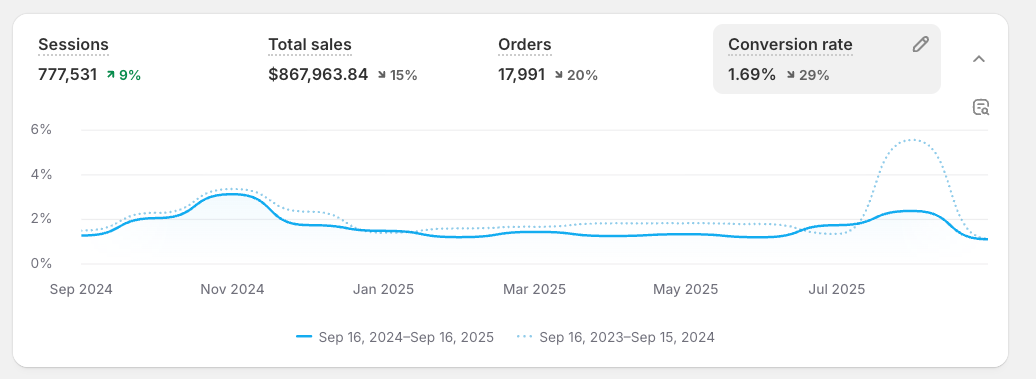
Here's the quick rule: if your conversion rate is under 2%, you have a leak. If you're selling high-ticket items ($500+), a lower rate might be fine. But for most stores selling everyday products, anything under 2% means you're leaving serious money on the table.
Now - where is the leak? Look for these four patterns.
High Cart Abandonment
Symptom: High add-to-cart rate, but cart abandonment above 80%.
Diagnosis: People want to buy, but something stops them at checkout — surprise shipping costs, forced account creation, missing payment options, or a confusing checkout flow.
Tools you need: Email & SMS tools to recover abandoned carts, and urgency tools to get people over the line before they leave. For a deeper playbook, read our guide on how to reduce shopping cart abandonment.
High Bounce Rate on Key Pages
Symptom: Bounce rate over 50% on product pages. Visitors land, glance, and leave.
Diagnosis: Your page isn't delivering on its promise. Slow load times, bad product photos, thin descriptions, or a mismatch between what the ad promised and what the page shows.
Tools you need: Performance & SEO diagnostic tools to check speed, and customer behaviour analysis tools (heatmaps, session recordings) to see exactly where attention drops. If your pages are fast but still not converting, the problem is your content — check out our tactics to increase conversion rate.
Low Trust & Declining AOV
Symptom: Decent traffic, low conversion across the board. Nobody interacts with reviews. Low newsletter signups. Average order value is dropping.
Diagnosis: Visitors don't trust you enough to buy — or to buy more. Missing reviews, unprofessional design, or product recommendations that feel spammy instead of helpful.
Tools you need: UGC & social proof tools to build credibility, and personalization tools to make recommendations feel relevant. For the bigger picture on building trust across every touchpoint, see our guide to customer experience optimization.
Low Add-to-Cart Rate
Symptom: Traffic is fine but nothing moves. Visitors browse, scroll, and leave without adding anything.
Diagnosis: Your store isn't giving people a reason to act. The value proposition is unclear, navigation is confusing, or there's no urgency. Customers are "just browsing" and never coming back.
Tools you need: Analytics tools to find where the funnel dies, and experimentation tools to test fixes. Start with our guide on how to increase your add-to-cart rate and work forward from there.
Here's the quick rule: if your conversion rate is under 2%, you have a leak. If you're selling high-ticket items ($500+), a lower rate might be fine. But for most stores selling everyday products, anything under 2% means you're leaving serious money on the table.
For a deeper dive into the metrics that matter, check out our guide to key ecommerce metrics to track. But right now — let's find your leak. Look for these four patterns.
High Cart Abandonment
Symptom: High add-to-cart rate, but cart abandonment above 80%.
Diagnosis: People want to buy, but something stops them at checkout — surprise shipping costs, forced account creation, missing payment options, or a confusing checkout flow. Use heatmaps and session recordings to spot exactly where they bail.
Tools you need: Email & SMS tools to recover abandoned carts, and urgency tools to get people over the line before they leave. For the full playbook, read our guide on how to reduce shopping cart abandonment.
High Bounce Rate on Key Pages
Symptom: Bounce rate over 50% on product or landing pages. Visitors land, glance, and leave.
Diagnosis: Your page isn't delivering on its promise. Slow load times, bad product photos, thin descriptions, or a mismatch between what the ad promised and what the page shows.
Tools you need: Performance & SEO diagnostic tools to check speed, and customer behaviour analysis tools to see exactly where attention drops. If your pages are fast but still not converting, the problem is your content — check out our 18 tactics to increase conversion rate.
Low Trust & Declining AOV
Symptom: Decent traffic, low conversion across the board. Nobody interacts with reviews. Average order value is dropping.
Diagnosis: Visitors don't trust you enough to buy — or to buy more. Missing reviews, unprofessional design, or weak product recommendations that feel spammy instead of helpful. Run through our 148-point CRO audit to find exactly where trust breaks down.
Tools you need: UGC & social proof tools to build credibility, and personalization tools to make recommendations feel relevant. For the bigger picture, see our guide to customer experience optimization.
Low Add-to-Cart Rate
Symptom: Traffic is fine but nothing moves. Visitors browse, scroll, and leave without adding anything.
Diagnosis: Your store isn't giving people a reason to act. The value proposition is unclear, navigation is confusing, or your pricing strategy isn't landing. Customers are "just browsing" and never coming back.
Tools you need: Analytics tools to find where the funnel dies, and experimentation tools to A/B test fixes. Start with our guide on how to increase your add-to-cart rate and work forward from there.
The Diagnostic Process
Matching a pattern above to your store is step one. Step two is confirming it with data — not gut feeling.
- Check the numbers. Use analytics tools to find where people drop off. Homepage? Product page? Checkout?
- Watch the behaviour. Use heatmaps and session recordings to understand why they're leaving. Are they rage-clicking a broken button? Scrolling past your CTA? Hesitating at the price?
- Fix and test. Use experimentation tools to validate your fix with an A/B test before rolling it out store-wide.
If you want a professional team to handle this for you, explore our conversion rate optimization services.
For a complete growth framework beyond just CRO tools, see our ecommerce growth strategy guide.
Analytics Tools
You can't optimize what you can't measure. These tools show you where the leaks are, which pages are killing conversions, and what your competitors are doing about it.
Competition Analysis Tools
While you can't see competitors' exact conversion rates, you can estimate their performance, view their ads and check on their traffic with these tools.
Ahrefs
Intro to Ahrefs and Competitor Research
Price: from 119$/mo
Ahrefs is your secret weapon for reverse-engineering your competition's entire traffic strategy. While it's a powerhouse for SEO, you don't need to be an expert to use it for market research. It shows you exactly how people are finding your rivals online, giving you a roadmap to their success.
With Ahrefs, you can:
- See Their Traffic Sources: Find out exactly where their visitors are coming from. Are they killing it on Google? Getting tons of traffic from a specific blog? Ahrefs shows you their entire hand.
- Discover Their Top Pages: See which of their product pages, collections, or blog posts are pulling in the most organic traffic. This is market research gold, showing you what customers in your niche are actively searching for.
- Find Keyword Gaps: Uncover the valuable keywords your competitors are ranking for that you're completely missing out on. This is your shortcut to finding new, high-intent customers.
- Audit Your Own Site: Use it to find technical issues on your own store—like broken links or slow pages—that could be costing you sales and rankings right now.
It’s how you stop guessing what works and start using data to drive your own traffic strategy.
Wappalyzer
Price: Free
Ever wonder, "What Shopify app is that?" Wappalyzer is a simple (and free) browser extension that gives you X-ray vision for any website. It instantly identifies the technology a store is built on, including the specific Shopify apps they're using for reviews, pop-ups, loyalty programs, and more.
It’s the ultimate shortcut for tech research:
- Identify Specific Shopify Apps: See a cool feature on a competitor's site, like a quiz or a unique review widget? Wappalyzer can often tell you the exact app powering it, saving you hours of searching.
- Analyze Their "Tech Stack": See what they use for email marketing (Klaviyo or Omnisend?), analytics (Google Analytics or Triple Whale?), and helpdesks (Gorgias or Zendesk?). This helps you understand what the top brands in your space rely on.
- Spot Conversion Tools: Easily identify the tools they use for pop-ups, personalization, or A/B testing, giving you a shortlist of proven solutions to consider for your own store.
It’s the fastest way to understand how your rivals are building their customer experience.
Meta Ad Library
Price: Free
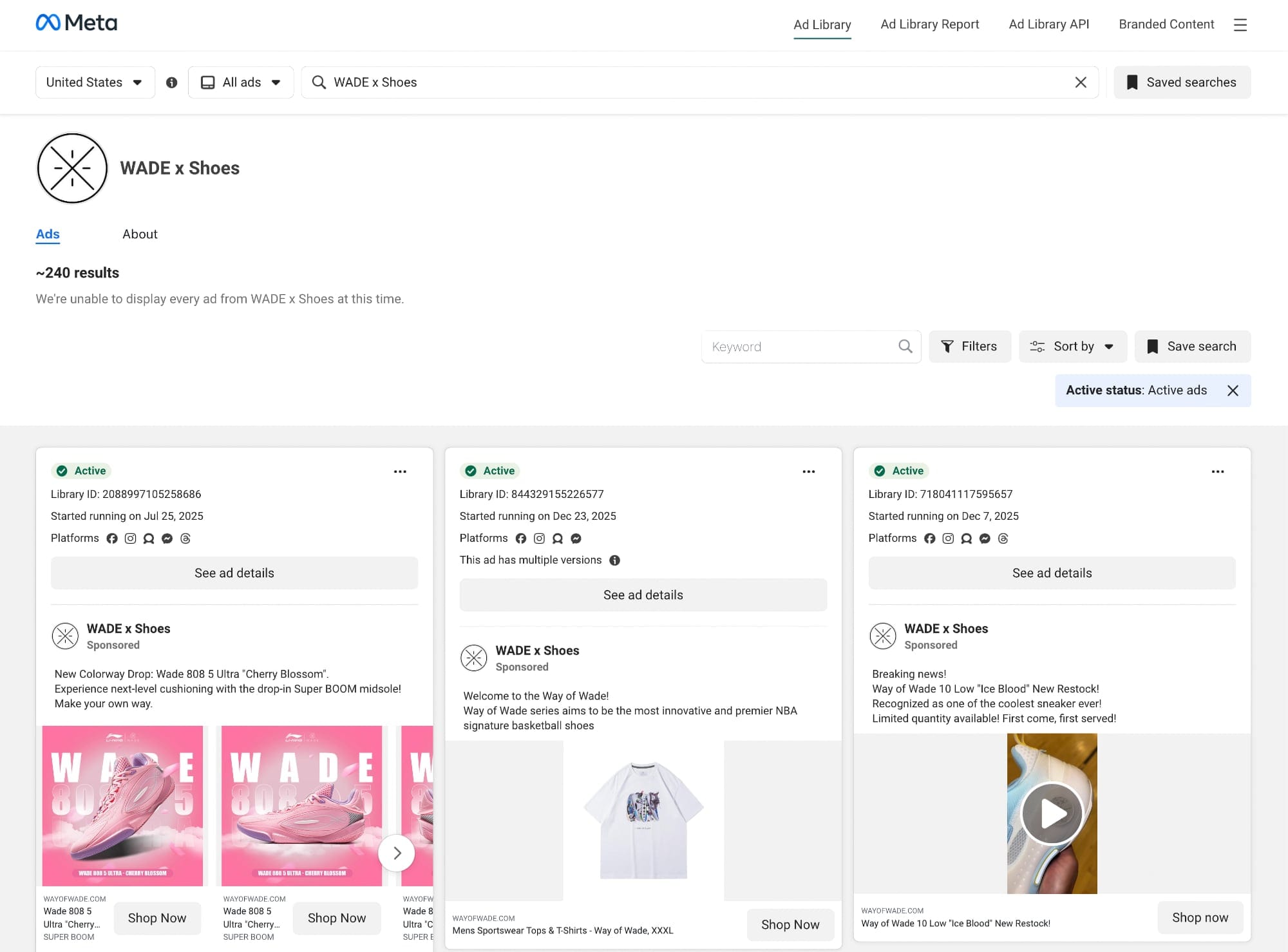
This isn't some secret spy tool — it's a completely free, public database from Meta that lets you see every single ad any brand is currently running on Facebook and Instagram. It is an absolute goldmine for any store owner who wants to understand what's working right now.
Use it to instantly find:
- Live Ad Creative & Copy: See your competitor's best-performing ad images, videos, headlines, and body copy. It's the ultimate cure for creative block and shows you the exact angles they're using to attract customers.
- Their Top Offers: Analyze the discounts, bundles, or free shipping deals they're putting the most ad money behind. If they're spending heavily on an offer, there's a good chance it's converting.
- Complete Ad Funnels: Click through their ads to see the exact product pages or custom landing pages they're using. This lets you study their entire funnel, from ad click to purchase.
Stop guessing what ads to run and start learning from the thousands of dollars your competitors are already spending on testing.
Tip: Skip the generic industry reports. We analyzed over 3,800 Shopify stores and turned the findings into a 148-point CRO audit checklist you can run on your own store in 30 minutes.
Customer Behaviour Analysis Tools
Analytics tells you what's happening. These tools tell you why. With heatmaps and session recordings, you can watch real users interact with your store and spot the exact moment they get confused, frustrated, or leave.
Shopify Analytics
Price: Free
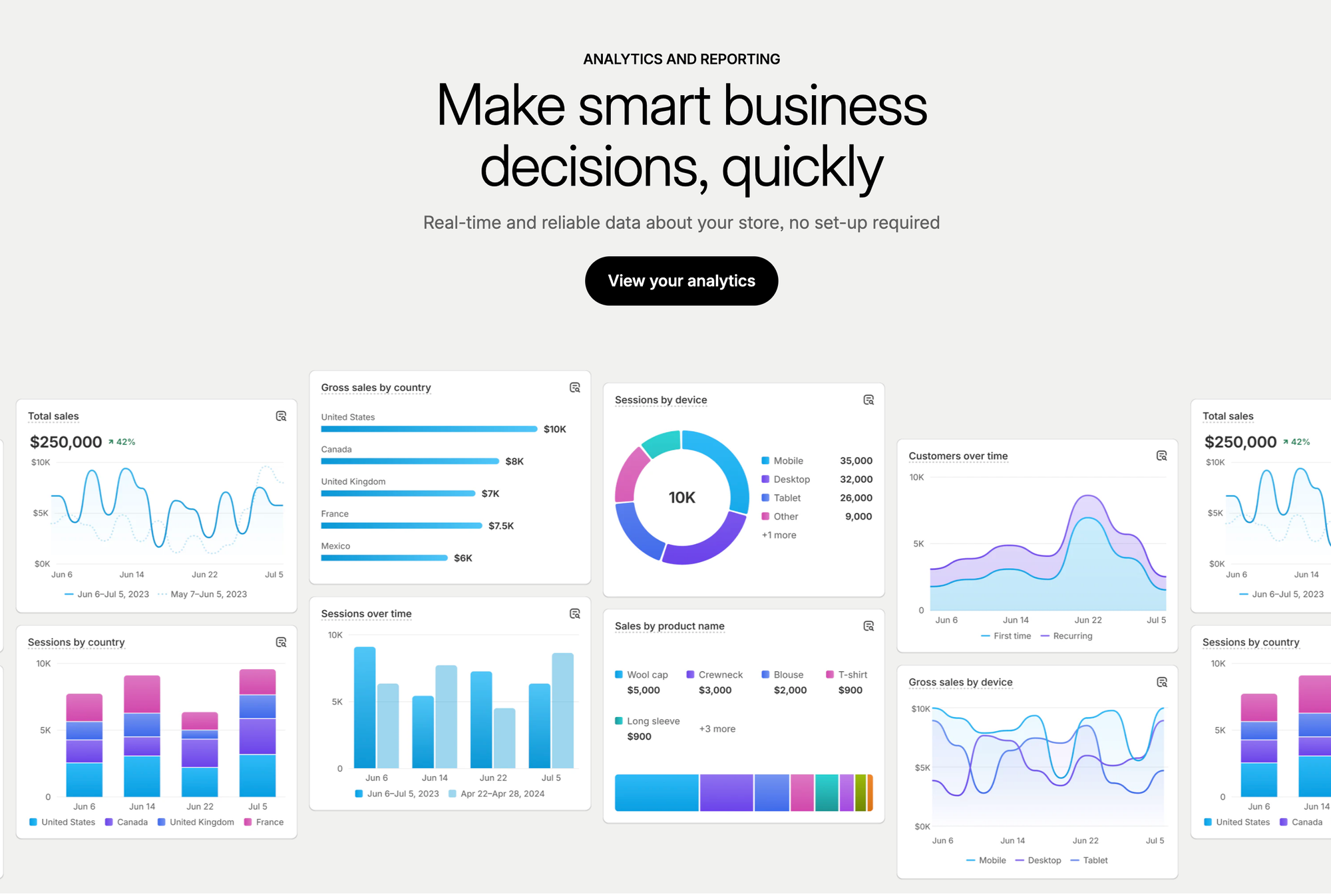
While often overlooked in favor of external tools, Shopify's native analytics provides unique insights unavailable elsewhere due to its direct access to store data.
Shopify Analytics reads directly from your store's database, providing:
- Real-Time Accuracy: No data sampling or processing delays. When an order is placed, it appears immediately in reports.
- Complete Purchase Data: Full visibility into checkout steps that external tools can't track due to Shopify's secure checkout.
- Inventory Integration: Correlate conversion rates with stock levels, identifying lost sales from stockouts.
- Financial Reconciliation: Combines sales data with refunds, chargebacks, and fees for true profitability analysis.
Reports That Matter for CRO Focus on reports that directly impact conversion optimization:
- Conversion Over Time: Track daily, weekly, and monthly trends to identify patterns and anomalies. Sudden drops often indicate technical issues.
- Product Performance: Beyond bestsellers, identify products with high view-to-purchase rates (indicating strong product-market fit) versus those with low conversion (needing optimization).
- Sales by Traffic Source: Compare conversion rates across channels. Email might convert at 8% while paid social converts at 1%, informing budget allocation.
- Customer Cohort Analysis: Understand how customer behavior changes over time. Do Black Friday customers have lower lifetime values? Do email subscribers convert better long-term?
Microsoft Clarity
Tim's Clarity Walkthrough
Price: Free
Microsoft Clarity has emerged as a powerful free alternative to paid session recording tools, offering features that rival premium solutions. It's our must-have go-to tool! Plus it's now available as a Shopify app.
Clarity provides:
- Heatmaps - See exactly where users click, including non-clickable elements (indicating confusion). If users repeatedly click product images expecting zoom functionality that doesn't exist, you've identified an easy win. Learn how to analyze heatmaps data here
- Sessions recording - Recordings show individual user sessions, providing qualitative insights that numbers can't convey
- Errors - Captures console errors that might be breaking functionality for some users but not appearing in your testing.
- Dead Click Identification: Highlights clicks that produce no response, indicating broken JavaScript or user expectation mismatches.
- Rage Click Detection: Automatically identifies sessions where users repeatedly click the same element in frustration. These sessions often reveal broken functionality or confusing interfaces.
View your customers behavior in real time by installing Clarity from Shopify Marketplace
MixPanel
Price: Free plan available; paid plans start at $20/month.
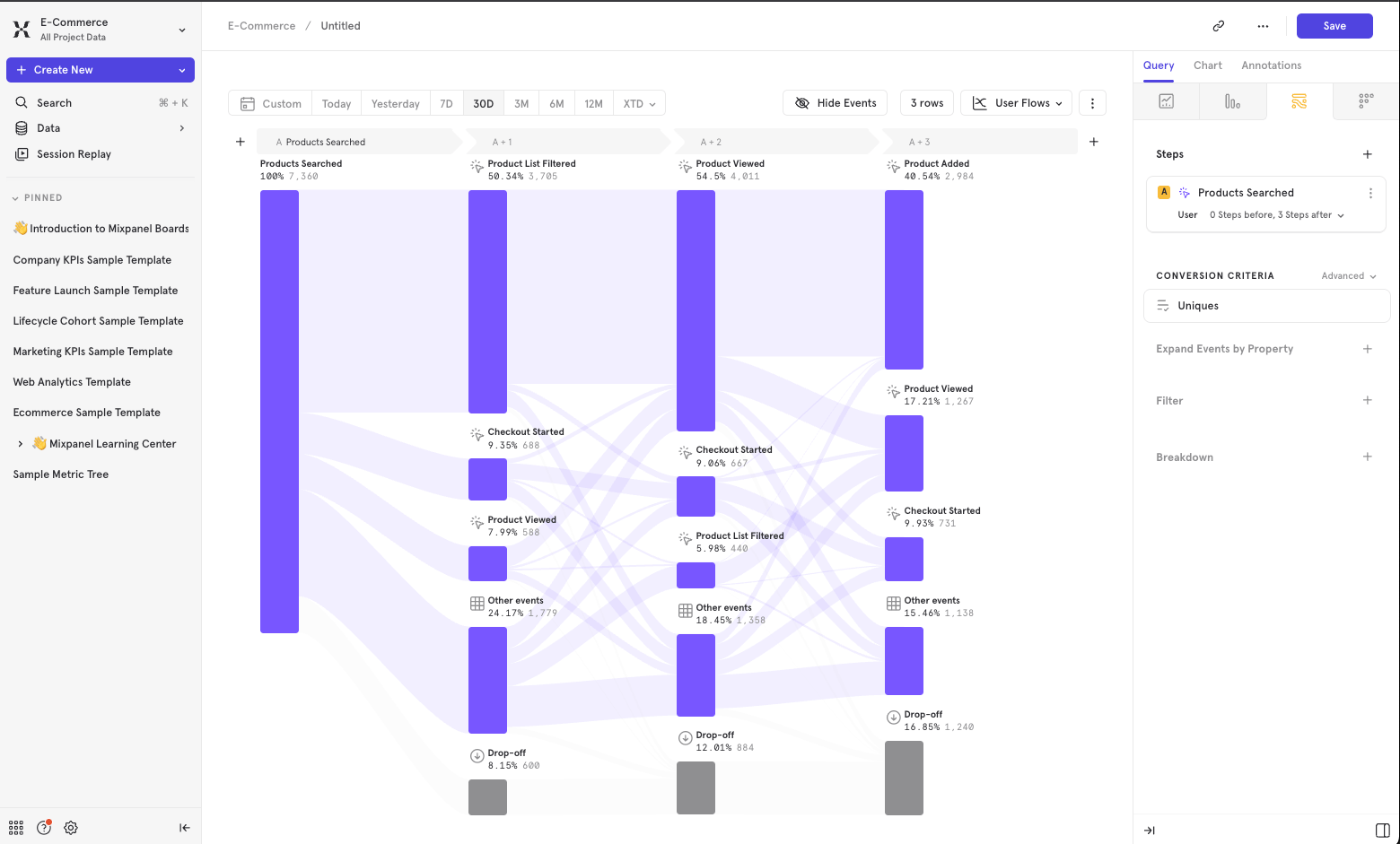
While Google Analytics tells you what pages people visit, MixPanel tells you what actions they take. This is the fundamental difference for optimizing a Shopify store.
MixPanel is a powerful event-based tool that allows you to move past simple page views and understand the behaviors that lead to conversion. It's the tool you graduate to when "where are my visitors from?" becomes less important than "what is my most profitable customer journey?"
It’s fantastic for analytics because it gives you surgical precision in understanding your customers through four key features:
- Funnels: This is your core conversion-path-analyzer. You can build a funnel for any series of events—like "Viewed Product" -> "Added to Cart" -> "Reached Checkout" -> "Completed Purchase"—and instantly see where your biggest drop-offs are. You can then segment this funnel to find out if users from your "Spring Sale" email campaign convert at a higher rate than users from your Facebook ads.
- Flows: If Funnels show you the path you want users to take, Flows show you the messy paths they actually take. This report reveals the most common user journeys, showing you all the winding roads, dead ends, and unexpected detours your customers make. You might discover a huge number of users go from "Add to Cart" back to a product page, suggesting they are looking for more information (like shipping or returns) before they'll commit.
- Insights: This is your primary reporting dashboard for asking complex questions. While Shopify's analytics can tell you your total sales, Insights can answer questions like, "What's the average purchase value for users who use a discount code versus those who don't?" or "How many users who watch a product video end up buying?"
- Lexicon: This is a simple but critical feature that makes your data trustworthy. Lexicon is your data dictionary. It lets you define exactly what each event and property means (e.g., "Event: 'Add to Cart' - Fired when user clicks main 'Add to Cart' button on a product page"). This ensures that when your marketing, product, and support teams all look at the data, they are all speaking the same language.
Rybbit
Price: Free (self-hosted) or paid cloud plans
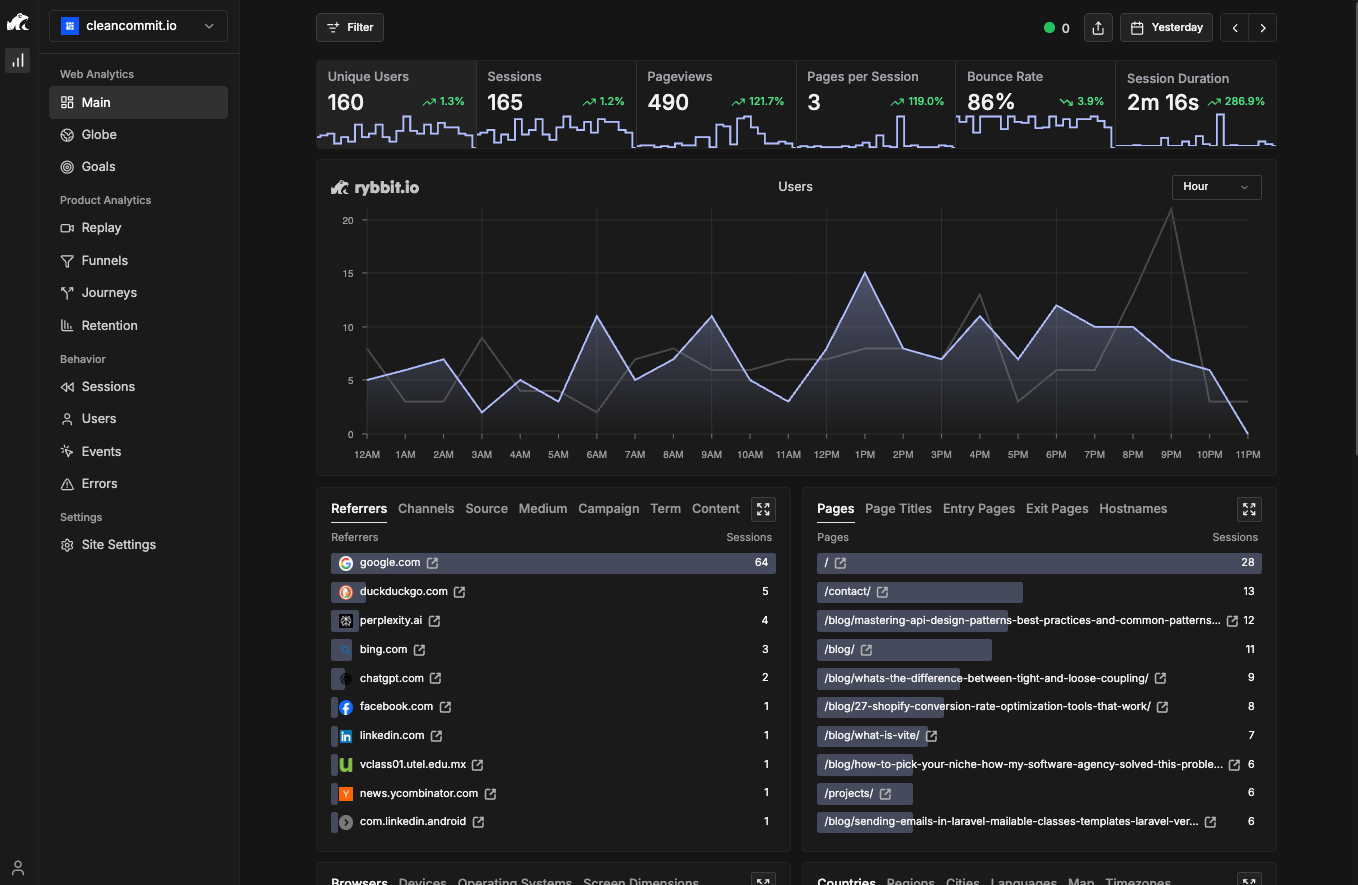
If you’re tired of sacrificing deep analytics for compliance, Rybbit is the tool you’ve been waiting for. It’s a powerful, open-source analytics suite designed from the ground up to be completely cookieless. That means you can get 100% of your analytics data without ever showing an annoying cookie banner again—a massive win for conversion and a legal sigh of relief, especially if you sell heavily in the EU.
What makes Rybbit a fantastic choice is its combination of privacy and power. Unlike other "cookieless" alternatives like Fathom, which are often limited to simple traffic counts, Rybbit provides the deep CRO features you actually need, putting it in the same league as much more expensive tools.
- Completely Cookieless: This is its biggest advantage. You get 100% of your analytics without needing disruptive cookie banners, which improves user experience and simplifies GDPR/EU compliance.
- Open-Source & Self-Hosting: Because it's open-source, you have a free self-hosting option. This gives you complete control over your customer data, ensures you own your analytics, and is incredibly cost-efficient for tracking at scale. You can learn more about this in their docs.
- Advanced CRO Features: This isn't just a simple traffic counter. Rybbit offers the powerful features needed for real optimization, including event-based goals, user flows to see customer journeys, and even session recordings to watch where users get stuck. You can see a full list on their features page.
Google Analytics
Pricing: Free
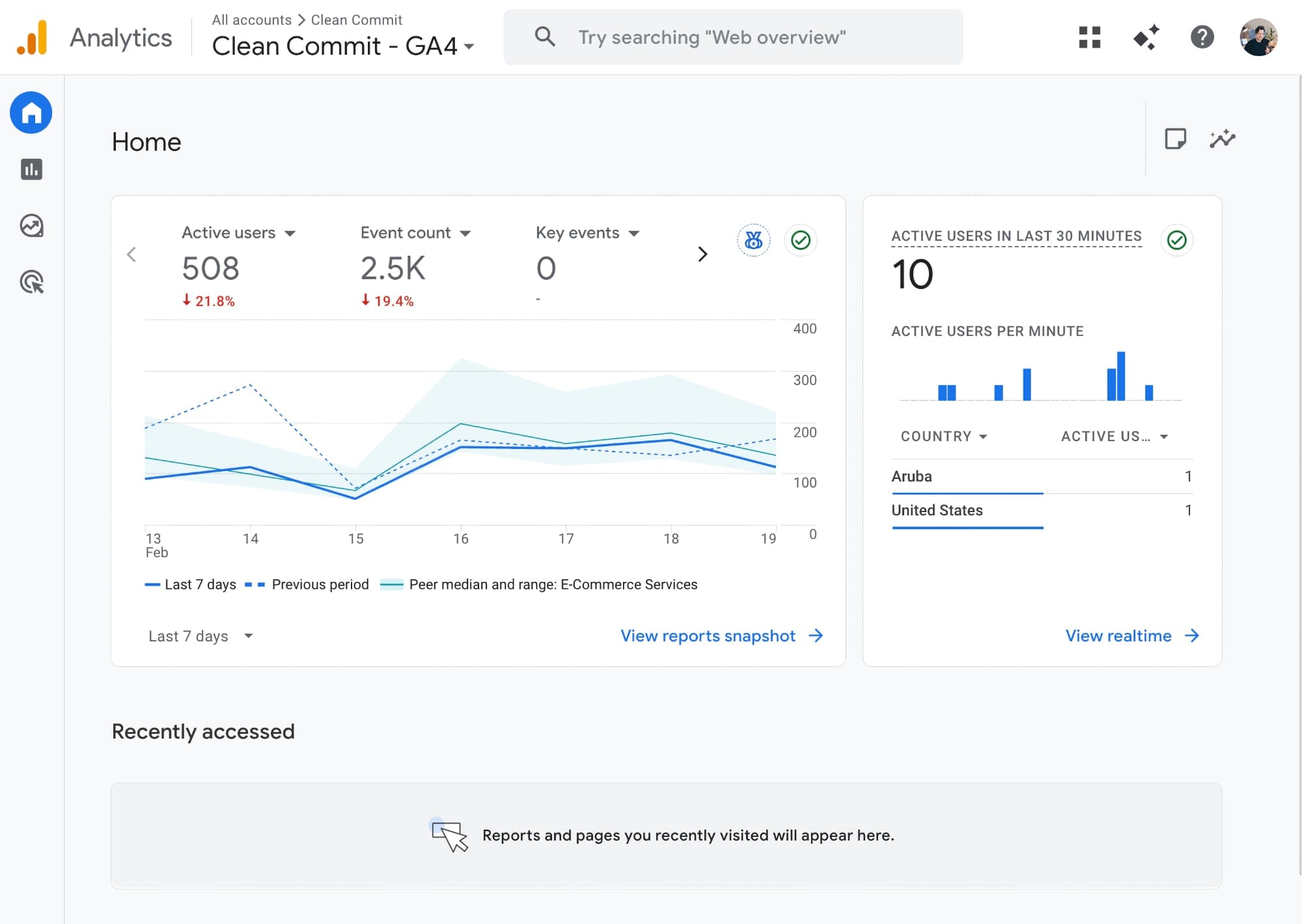
Google Analytics is the industry standard for a reason. It’s built to track user behavior across your entire marketing ecosystem, not just your store. It’s the only tool that can truly show you how a customer who first saw your TikTok ad three weeks ago eventually came back through a Google search to make a purchase.
To get it right for Shopify, you have to go beyond the basic app install:
- Implement Server-Side Tracking: The standard setup is easily blocked by ad blockers and iOS updates, meaning you're likely missing 20-30% of your data. Server-side tracking is no longer optional; it's essential for accuracy.
- Build a Real E-commerce Funnel: Don't rely on the default reports. You need to build custom funnel reports that mirror your Shopify journey (Viewed Product > Added to Cart > Reached Checkout > Purchased) to see exactly where your biggest leaks are.
- Track What Matters: Set up custom events for Shopify-specific actions like
selected_variant,used_search_bar, orsigned_up_for_back_in_stock. This gives you a much deeper understanding of user intent.
Hotjar
Price: $39-$389/month (based on sessions tracked)
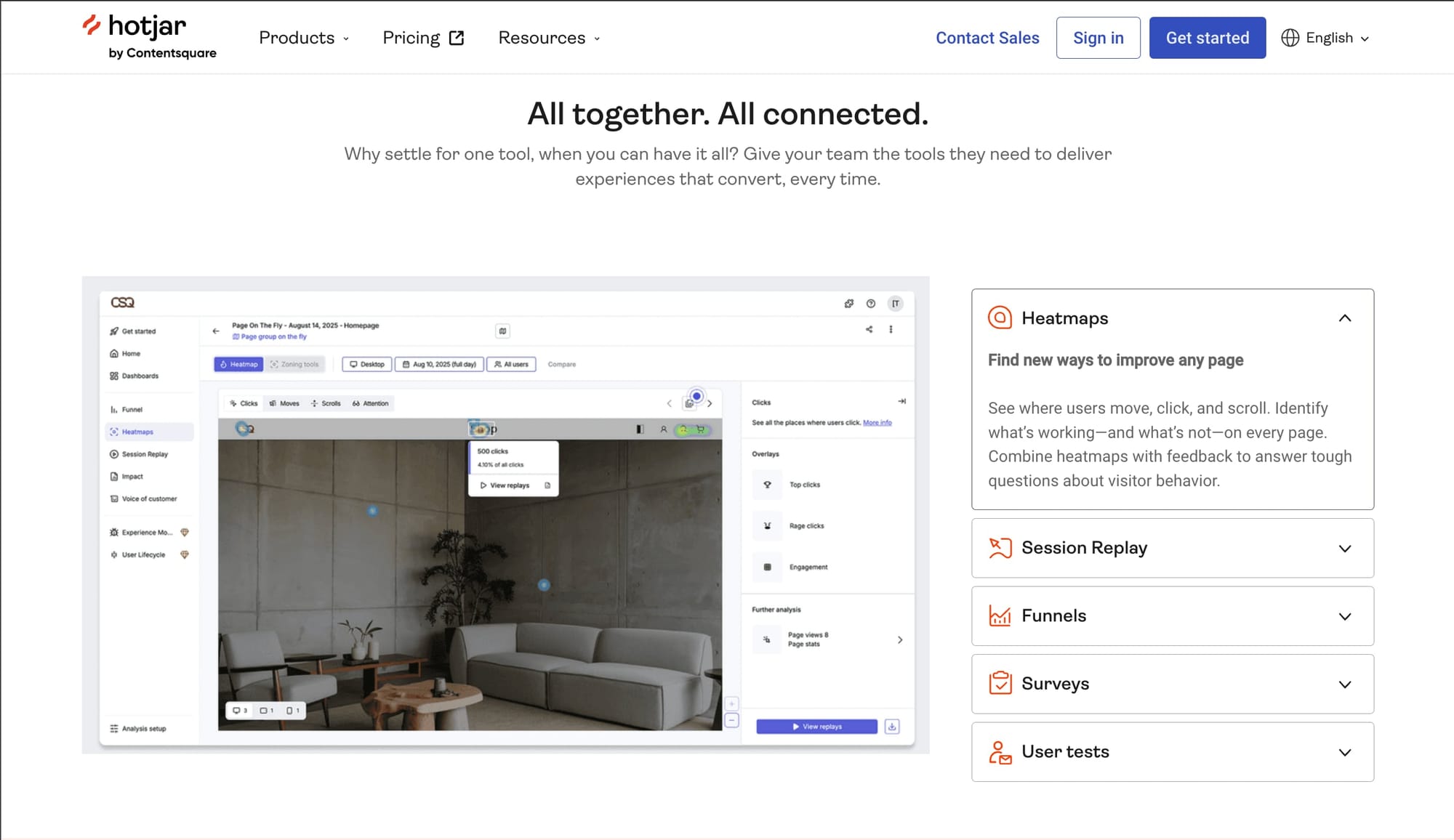
Hotjar combines multiple analytics tools in one platform, making it popular for stores wanting comprehensive insights without managing multiple tools.
Advanced Heatmap Features Beyond basic click tracking, Hotjar provides:
- Move Heatmaps: Track mouse movements to understand reading patterns and hesitation points. Hovering often indicates interest or confusion.
- Rage Click Maps: Specifically highlight areas causing frustration, different from general click heatmaps.
- Engagement Zones: Combine multiple interaction types to identify the most and least engaging page areas.
- Feedback Polls: Ask specific questions at key moments. "What's stopping you from completing your purchase?" at cart abandonment provides invaluable insights.
Hotjar integrates with Google Analytics, Optimizely, and other platforms, enabling:
- Watching recordings of specific GA4 segments
- Seeing heatmaps for A/B test variants
- Triggering surveys based on user behavior
Zigpoll Customer Surveys
Pricing: Free plan available; paid plans start at $10/month.
Sometimes, the best way to figure out what customers want is to just ask. Zigpoll is a simple, effective tool for doing exactly that. While session recorders show you what users do, a well-timed survey tells you what they were thinking.
Zigpoll lets you create beautiful, native-looking surveys and polls that you can place anywhere on your Shopify store. It's perfect for getting quick feedback at the most critical moments of the customer journey.
We use it, because free plan with 100 responses/mo is plenty for preliminary research!
Use it to answer crucial questions like:
- (On the post-purchase page): "What made you almost not buy from us?"
- (On a product page): "Is there any information missing on this page?"
- (On the cart page): "What's one thing that would convince you to complete your order right now?
- (On exit-intent): "Before you go, could you tell us what you were looking for?"
Performance & SEO Diagnostic Tools
A slow site kills conversions and tanks your Google rankings. These tools pinpoint exactly what's slowing you down, bloated images, rogue apps, poor Core Web Vitals, so you know what to fix first.
Google PageSpeed Insights
Price: Free
This is the official report card from Google itself. Its opinion is the one that matters most for your search rankings. While the technical recommendations can be intimidating, you can't afford to ignore them. A bad score here is a direct signal to Google that your site offers a poor user experience, which can kill your visibility.
PageSpeed Insights shows you how your store performs based on Google's own ranking factors, using data from real Chrome users who have visited your site.
It gives you a clear diagnosis of your site's health:
- Core Web Vitals Score: This is your official user experience grade from Google. It measures how fast your content loads, how quickly it becomes interactive, and whether it shifts around unexpectedly. Passing this is non-negotiable for modern SEO.
- Real-World Data: The report shows you how your site performs for actual visitors, not just in a lab. This is your reality check.
- A Prioritized Fix-List: It provides a list of specific, technical recommendations—from compressing images to reducing the impact of your apps—that are holding your site back.
How to Use It: Test more than just your homepage. Your product and collection pages are where the money is made. Run them through the tool individually to find the real bottlenecks in your customer's journey.
Start testing your website now
GTmetrix
Price: Free basic, $14.95-$149.95/month pro
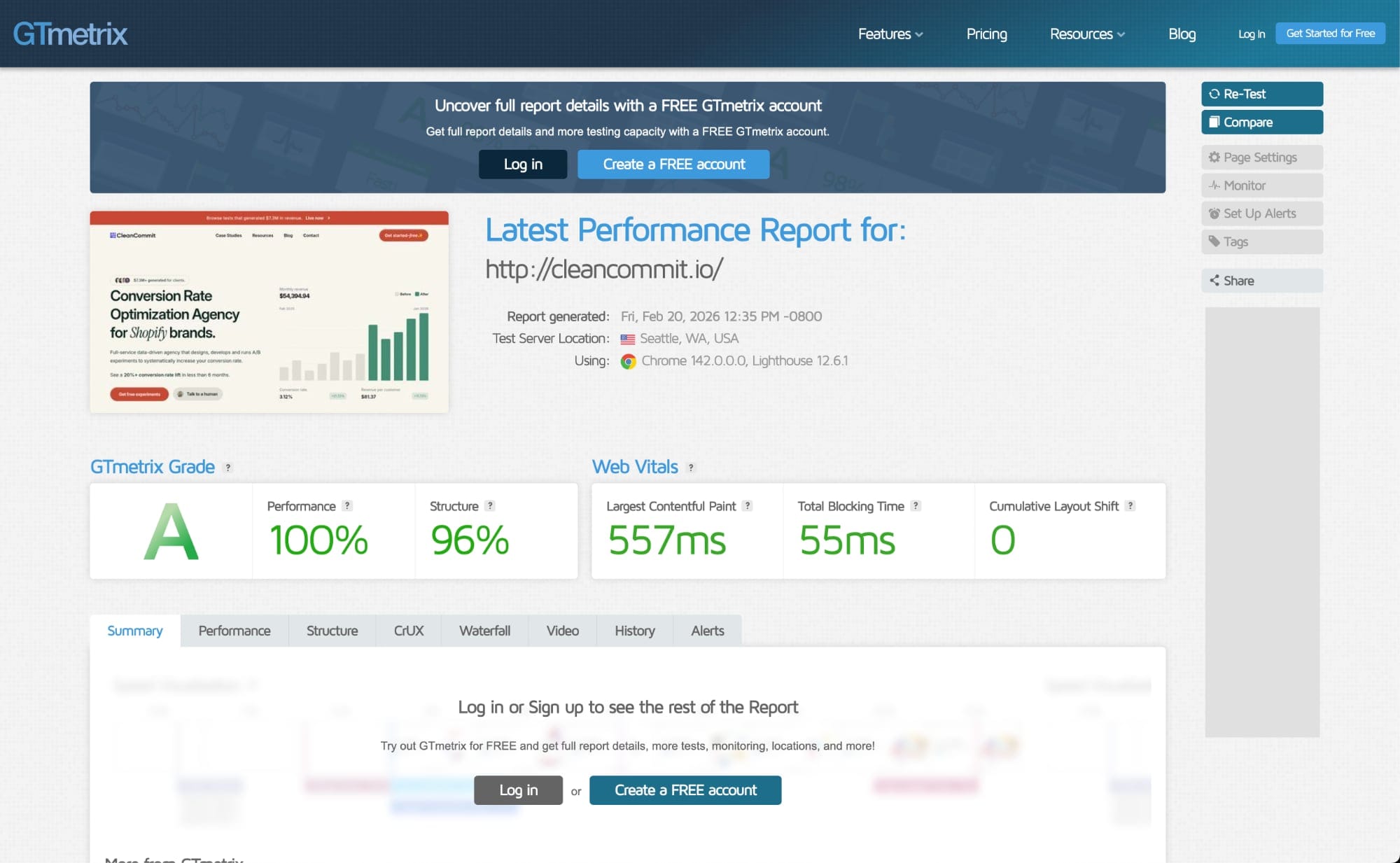
If Google PageSpeed is your official report card, GTmetrix is the detailed, frame-by-frame analysis that shows you why you got that grade. It’s built for store owners who want to go beyond the score and see a visual breakdown of exactly how their site loads for a visitor.
GTmetrix excels at making performance tangible:
- Waterfall Chart: See a visual, step-by-step timeline of every single element loading on your page. It’s the best way to identify the exact app, image, or script that's causing a major bottleneck.
- Performance Monitoring: Set up automated daily, weekly, or monthly monitoring to track your performance over time. You’ll get alerts when your speed suddenly drops—perfect for catching issues right after installing a new app or theme update.
- Video Playback: Watch a real-time video of your page loading, so you can see and feel the slowdowns your customers are experiencing on their end.
- Global Test Locations: Test your site's speed from different locations around the world to understand how your international customers are experiencing your store.
Ahrefs SEO Toolbar
Price: The browser extension is free; full data requires an Ahrefs subscription (starts at $99/month).
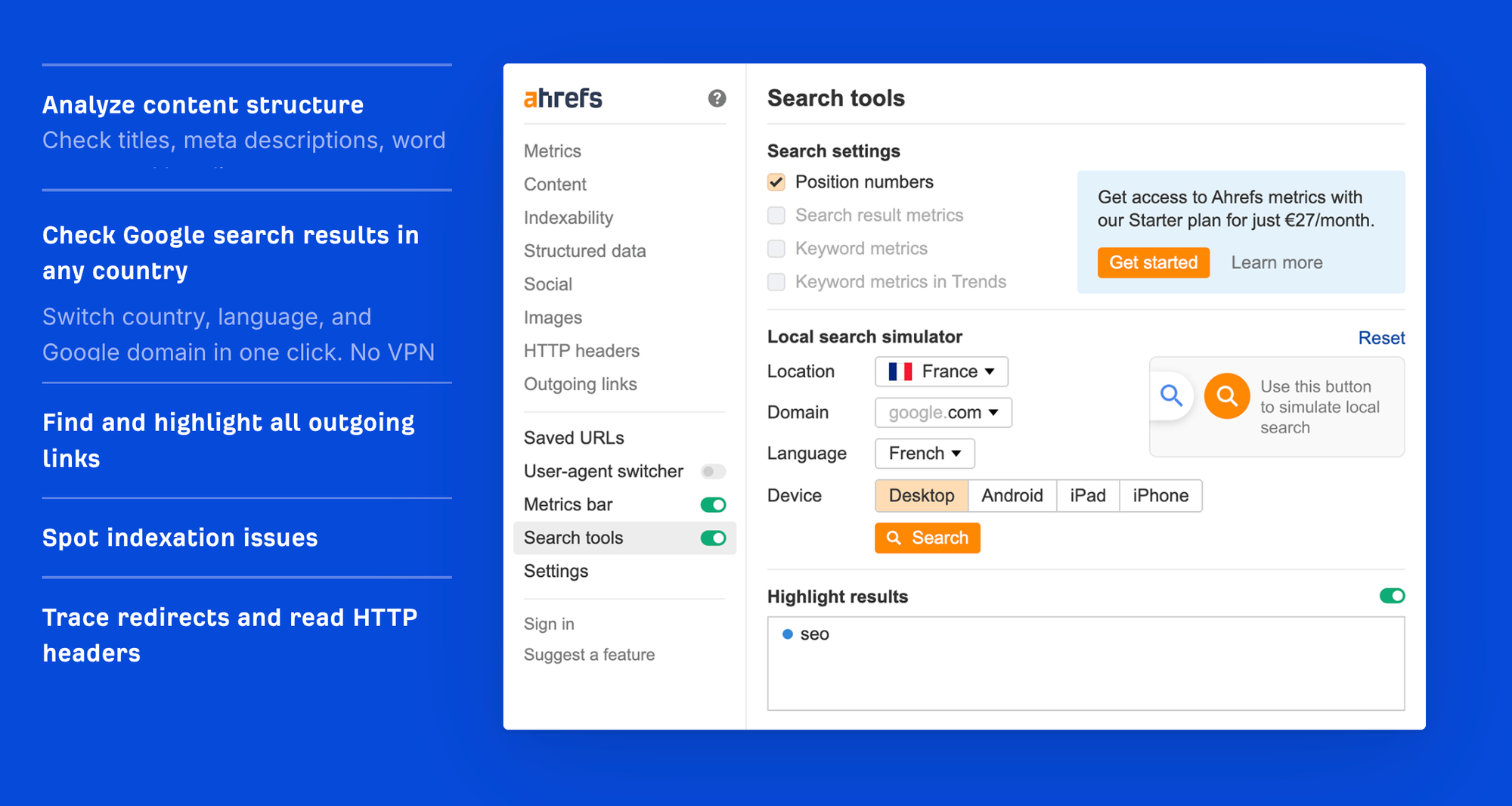
While Ahrefs' main platform is for deep-dive competitor analysis, their SEO Toolbar is your secret weapon for quick, on-the-fly analysis of any page—including your own. It lets you instantly diagnose why a competitor's product page is outranking yours or ensure your own new blog post is perfectly structured before you hit 'publish'.
This tool is essential for mastering your on-page SEO:
- Check Content Structure: Instantly see any page's hierarchy of headings (H1, H2, H3). This is crucial for making sure both Google and your customers can easily scan and understand the most important topics on your page.
- Analyze Rich Snippets (Schema): See how a page will likely appear in Google's search results. It checks for Schema markup—the code that powers star ratings, pricing, and "in stock" info right on the search page, which can dramatically boost your click-through rate.
- Find Broken Links: Run a quick scan on any of your pages to find and fix broken links that hurt your customer's experience and your SEO authority.
- On-Page Keyword Analysis: Quickly see the keyword density and structure of a page to understand how it's optimized.
Experimentation Tools
You rewrite your product descriptions, add customer photos, restructure your collection pages and... sales go down. Was it the copy? The layout? A slow week? You have no idea.
A/B testing tools fix this. Show version A to half your visitors, version B to the other half. The data tells you what works. That's how you de-risk every decision and prove changes actually make money.
Want more A/B Testing Tools? Check out the complete list of best a/b testing tools for Shopify.
Shoplift
Price: Starts at $299/month.
Special Offer: As official partners, we can get you an exclusive 30-day free trial of Shoplift, on top of creating up to 3 initial test! Reach out today to lock in your trial!
Let's be honest: most A/B testing tools weren't built for Shopify. They're clunky, they conflict with your other apps, and they're hard to setup.
Shoplift was built from the ground up with Shopify in mind. It's the gold standard for merchants who are serious about data-driven growth.
Why it's the right tool for serious Shopify stores:
- It Works Inside Your Theme: Shoplift isn't a clunky overlay. You create tests by creating duplicates of your actual theme templates. This means you can make changes directly in the Shopify theme editor you already know how to use. The result is zero page flicker and cleaner, more reliable tests.
- Test More Than Just a Button: Because it works with theme templates, you can test anything from small product page tweaks to massive, site-wide changes. Want to A/B test your entire navigation, your mini-cart, or even a completely new theme against your current one? Shoplift is built for it.
- "Lift Assist™" — Your CRO Co-Pilot: This is Shoplift's killer feature. The tool analyzes shopper behavior and automatically generates proven, high-converting sections and features for you to test—like sticky "add to cart" buttons, inventory counters, or trust badges, all styled to match your brand. It's like having a CRO expert built right into the app.
- It Tracks What Actually Matters: Shoplift goes way beyond simple conversion rates. It tracks Revenue Per Visitor (RPV) and Average Order Value (AOV), matching every order back to Shopify for 1:1 accuracy. This ensures your 'winning' tests are actually making you more money, not just selling more low-margin products.
Ready to stop fighting with generic tools and start testing like a pro? Let us help you get started.
Click Here to Claim Your 30-Day Guided Trial
Intelligems

Price: Free trial available; paid plans range from $79 to $999+/month.
Intelligems flips the traditional CRO script by focusing on profit rather than just conversion rate. While most tools focus on testing layouts, pages and content to improve conversion rates, Intelligems helps you test the underlying economics of your business—your pricing, shipping rates, and discount offers—to ensure you are actually making more money, not just processing more low-margin orders.
This tool is purpose-built for Shopify merchants who want to answer the hard financial questions, such as "Will raising my price by $5 hurt conversion enough to lower my total profit?" or "Is a free shipping threshold of $100 more profitable than $75?" It integrates deeply with Shopify’s checkout to manipulate prices and shipping rules dynamically, something standard visual editors cannot do.
Pricing experiments are a great leg up for more established stores, where changing prices is the most powerful lever you can pull.
Key features include:
- Price & Shipping Testing: Its flagship capability allows you to split-test product prices and free shipping thresholds in real-time to find the "sweet spot" where margin and volume yield the highest total profit.
- Profit-Focused Analytics: Unlike dashboards that stop at "Conversion Rate," Intelligems connects to your costs (COGS) to show you the impact of every test on your Gross Profit and Average Order Value (AOV).
- Content & Theme Testing: Beyond pricing, it offers a robust content testing suite that lets you A/B test landing pages, new Shopify themes, and site-wide template changes without code.
Mida
Price: Generous free plan available (up to 50k MTU); paid plans start at $199/month.
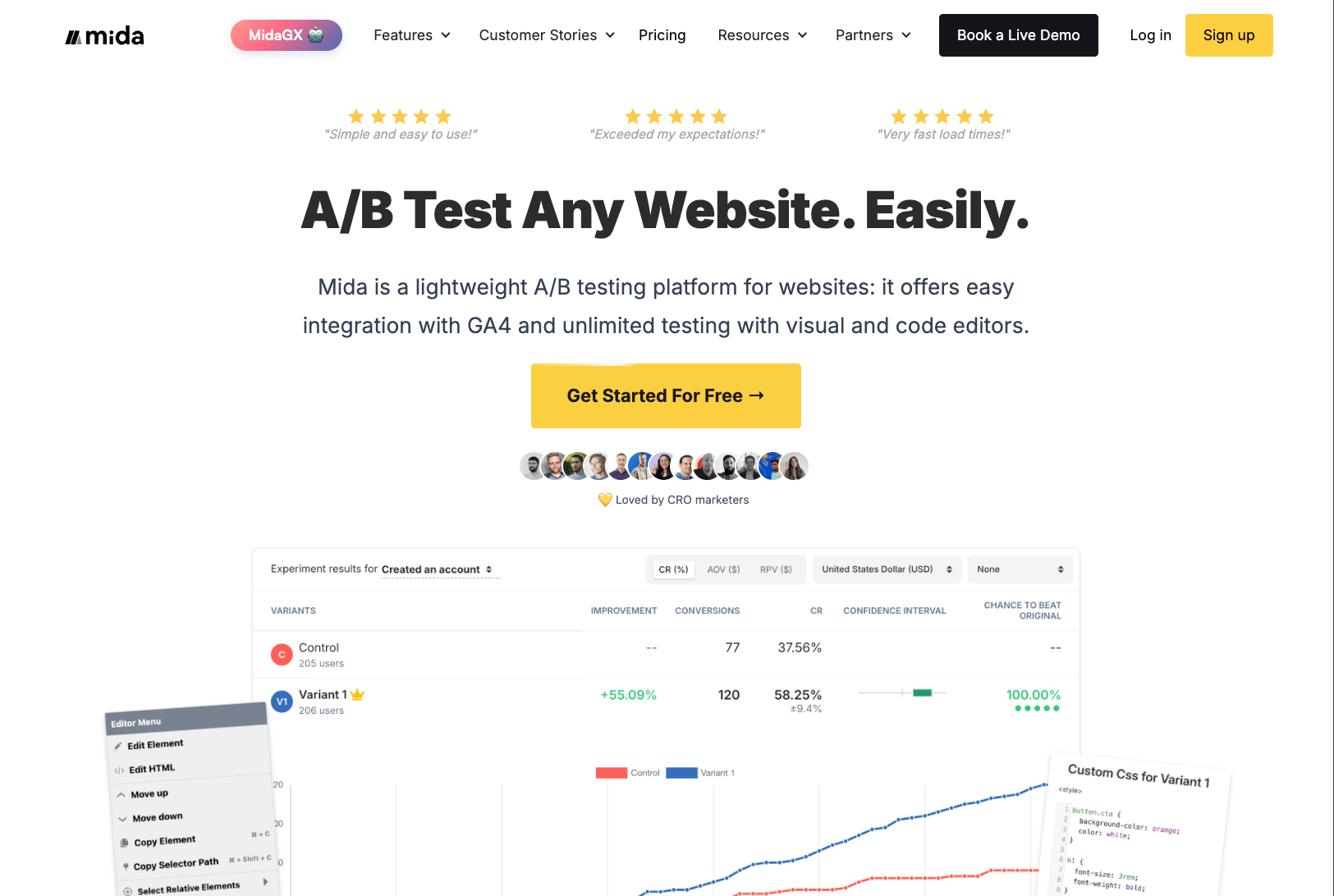
Mida.so is a great A/B testing tool for a majority of platforms, including Shopify. You can integrate data with external providers like GA4, Tally and others. For A/B testing with Shopify it requires a more involved setup then the competition to capture and compare events. It's definitely a great starting point for running experiments.
This tool is best suited for growth teams who want a "set it and forget it" technical setup but need powerful features for day-to-day testing. It bridges the gap between developers who want clean code and marketers who need a visual editor to launch tests independently.
Key features include:
- Zero-Flicker Performance: Built for speed, Mida uses a tiny script size to ensure test variants load instantly. This prevents the jarring screen "flicker" that hurts user experience and SEO scores.
- AI-Powered Automation: Includes MidaGX, an AI feature that can automatically generate test variations—such as rewriting headlines or calls-to-action—to speed up your hypothesis testing workflow significantly.
- Hybrid Editing: Offers a "What You See Is What You Get" (WYSIWYG) visual editor for marketers to change text/images without code, alongside a robust code editor for developers to build complex functional tests.
Shogun A/B Testing
Price: Free plan available; paid plans range from $99 to $499/month.
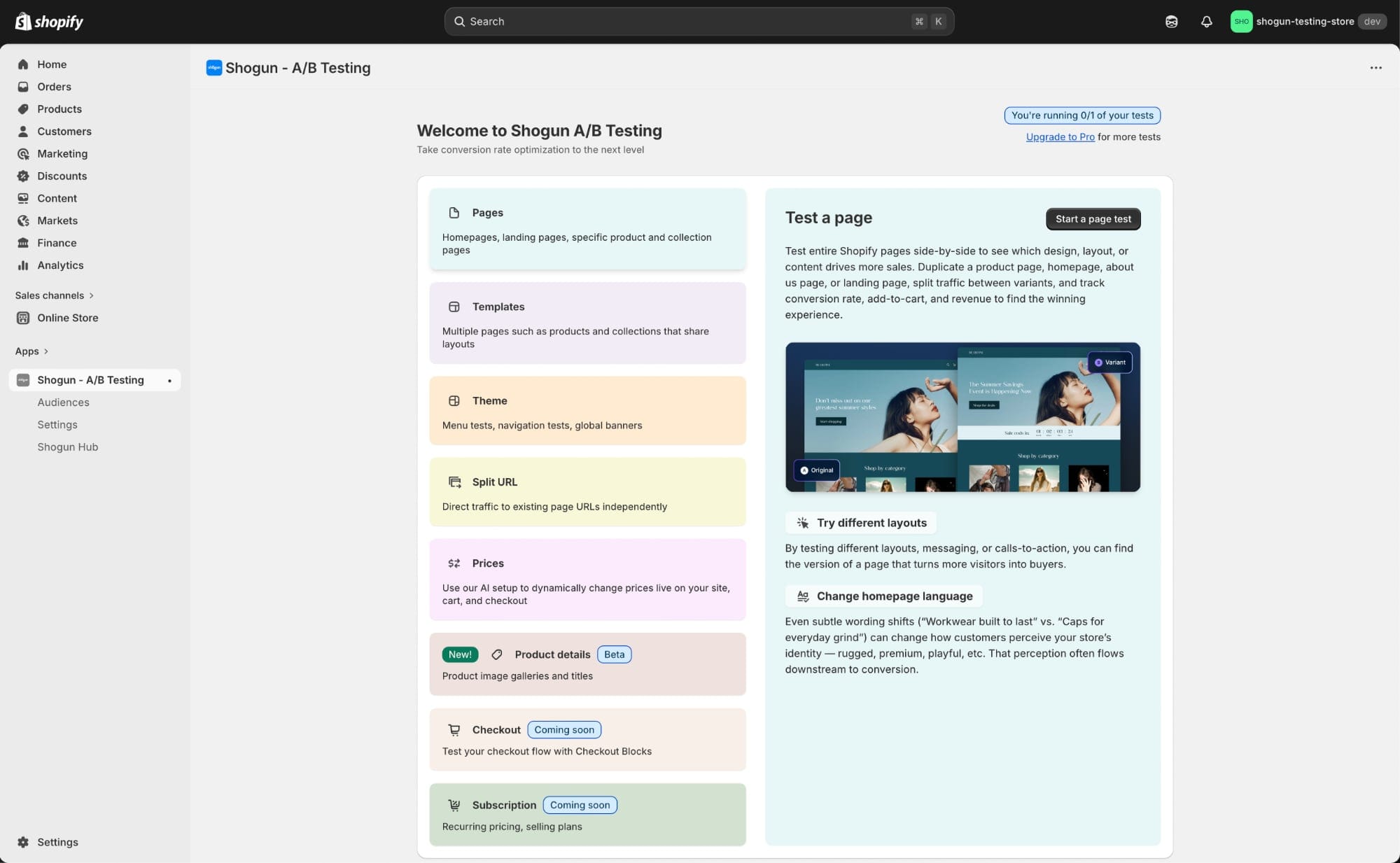
Shogun is famous for its user-friendly Page Builder, and their A/B testing tool follows the same philosophy: make it easy for marketers to test the things that matter most to them—the content and the message.
This is the ideal tool if your main goal is to quickly test different headlines, hero images, product descriptions, or entire landing page layouts against each other without needing a developer. It's less about deep technical customization and more about finding the most persuasive design.
Key features include:
- Ease of Use: Its visual editor is straightforward and built for speed. You can duplicate a page, make your desired changes, and launch a test in a matter of minutes.
- Content & Layout Testing: Perfect for finding the best-performing sales copy, promotional banners, and page structures. If you use Shogun Page Builder, you can A/B test entire sections and custom-built pages seamlessly.
- Tracks Key E-commerce Metrics: The dashboard focuses on the essentials you need to make a decision: conversion rate, revenue per session, and average order value, so you can clearly see which version is making you more money.
Optimizely

Price: Custom Enterprise Pricing (typically starts at $50,000 - $100,000+ per year).
Let's be upfront: Optimizely is not for your average Shopify store. This is an enterprise-grade experimentation platform for large, technically sophisticated brands that need to test every single aspect of their business—far beyond changing a button color on the homepage.
This is the tool you use when your experiments need to span your website, your app, and your backend logic, all at the same time.
Optimizely's power lies in capabilities that simple A/B testing tools can't touch:
- Full-Stack & Server-Side Testing: This is its core advantage. Optimizely lets you test the underlying logic of your business—from shipping rules and search algorithms to API responses and complex checkout flows on Shopify Plus. You're not just testing what the site looks like; you're testing how it works.
- Feature Flagging & Progressive Rollouts: De-risk major launches by releasing a new feature to just 1% of your customers, then 10%, then 50%, monitoring its impact at each stage. If something breaks, a "kill switch" lets you instantly disable the feature for everyone, preventing catastrophic bugs.
- Multi-Channel Experimentation: Run a single, coordinated experiment across your entire customer journey. You can simultaneously test a new offer on your website's hero banner, in your welcome email series, and as a promotion in your mobile app to see how the combined changes drive revenue.
Implementation tools
UGC & Social Proof Tools
Products with reviews convert up to 250% better than those without. These tools collect and display authentic reviews, ratings, and customer photos to build the trust that drives purchases.
Okendo
Price: Starts at $29/month for small stores; scales up to $1,299+/month.
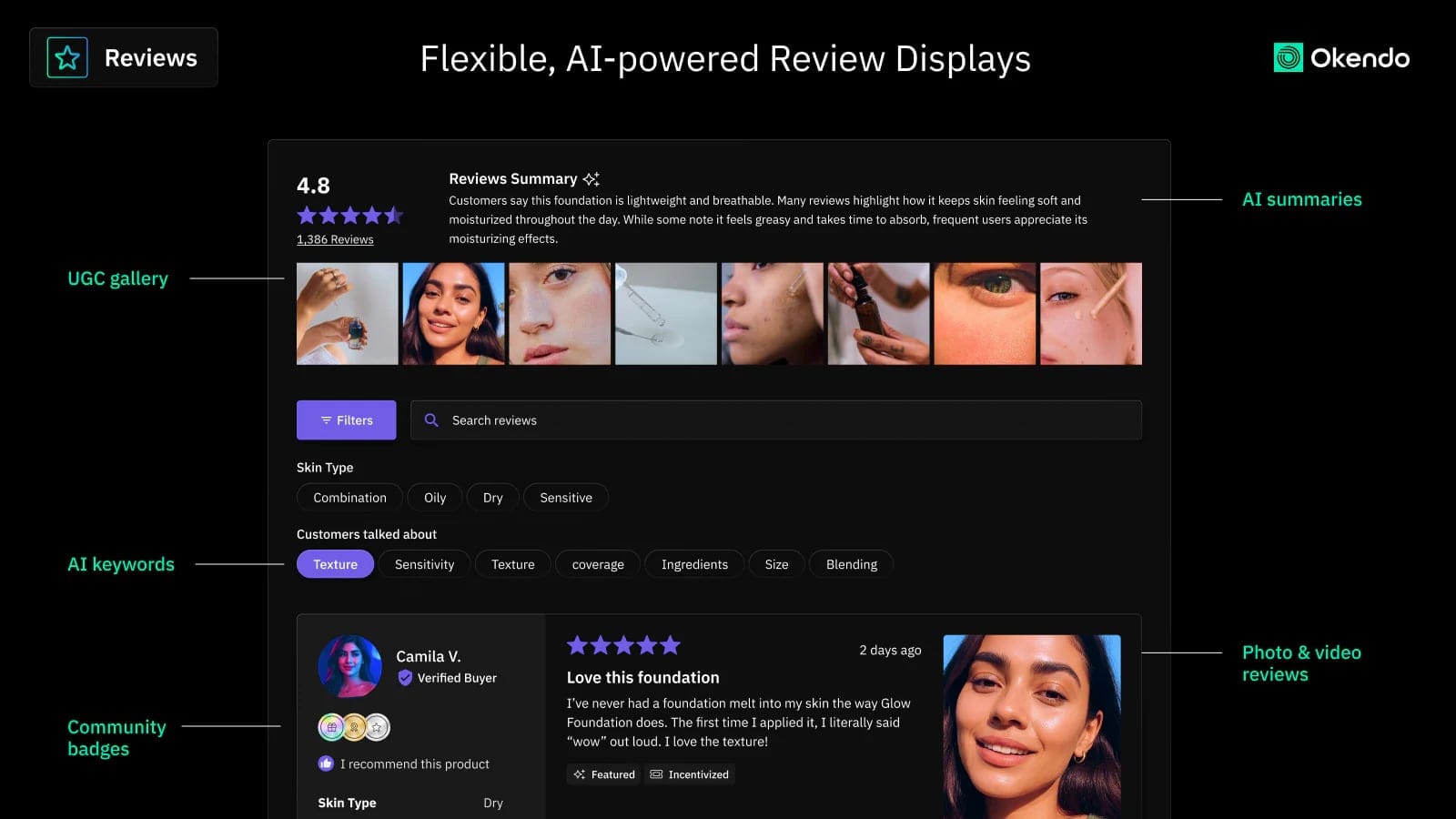
Okendo is a powerful, enterprise-grade platform for fast-growing brands that want to turn their customer content into a core marketing asset. It goes beyond simple reviews and focuses on building a community around your products.
Its strengths lie in deep customization and data:
- Rich Customer Profiles: Collect key customer attributes (like age, height, or product preferences) alongside reviews. This lets you display hyper-relevant feedback, like showing a potential buyer a review from someone with a similar body type.
- Q&A and Community Features: Allows customers to ask and answer questions directly on your product pages, creating a self-sustaining knowledge base that overcomes purchase objections.
- Developer-Friendly: For brands with custom themes, Okendo's API gives developers the power to build completely unique review sections that feel 100% native to your brand, not like a generic widget.
Stamped
Price: Free plan available; paid plans from $23-$599/month.
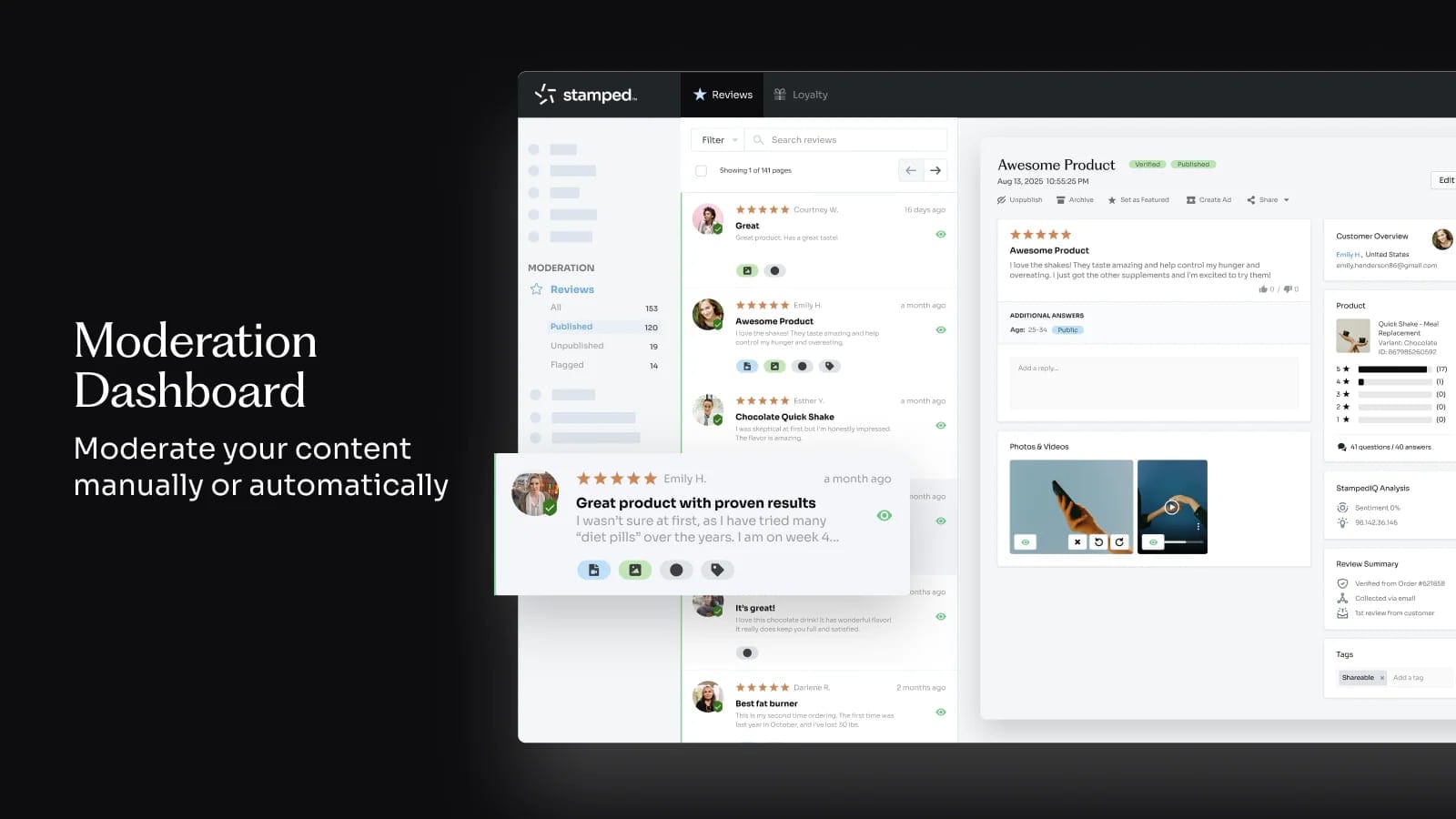
Stamped is a true workhorse that bundles multiple social proof and loyalty functions into one platform. It's a great choice for merchants who want to consolidate their apps and create a cohesive system for reviews, loyalty points, and visual UGC.
Stamped excels at connecting your store to your social channels:
- Visual UGC Collection: Makes it incredibly easy to collect and showcase customer photos and videos, which are far more persuasive than text reviews alone.
- Instagram Integration: Pull in photos your customers have posted and tagged you in, and turn them into shoppable galleries right on your product pages.
- Full Suite of Tools: Beyond reviews, the platform includes Loyalty & Rewards, VIP programs, and referral programs, allowing you to manage your entire customer retention strategy in one place.
Judge.me
Price: Powerful free plan with unlimited review requests; "Awesome" plan is a flat $15/month.
Judge.me has become the go-to review app for stores of all sizes for one simple reason: its free plan is more powerful than many competitors' paid plans. It is arguably the best starting point for any Shopify store looking to build social proof without a big budget.
For free, you get features that others charge for:
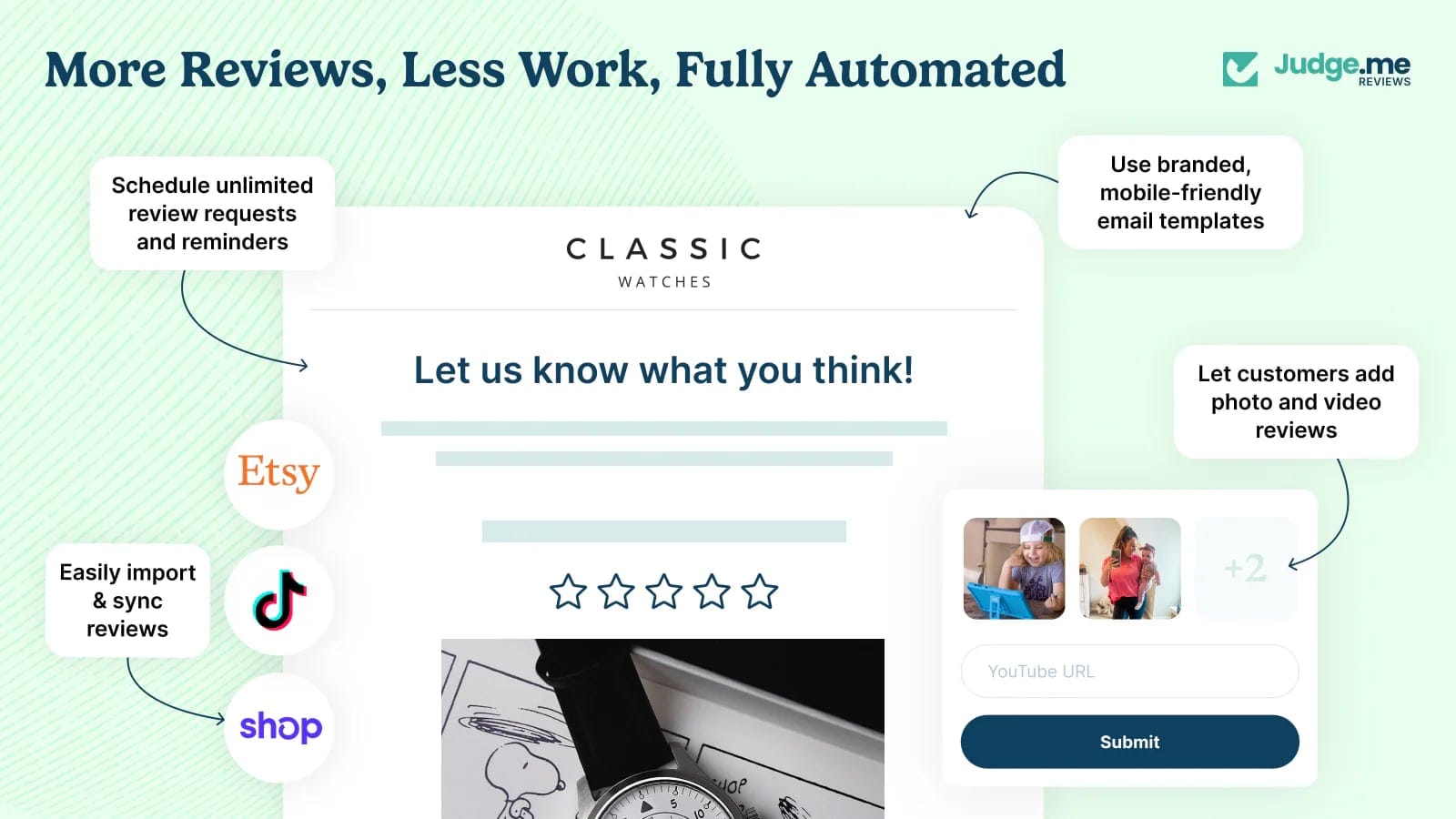
- Unlimited Review Requests: No caps on how many review request emails you can send.
- Photo & Video Reviews: Collect and display rich media from your customers at no extra cost.
- Fully Customizable Widgets: The review widgets are fast, mobile-friendly, and can be customized to match your brand's look and feel perfectly.
- No-Nonsense Pricing: If you do need advanced features, the paid plan is a simple, flat fee with no surprises.
Reviews.io
Price: Plans range from $54-$599/month.
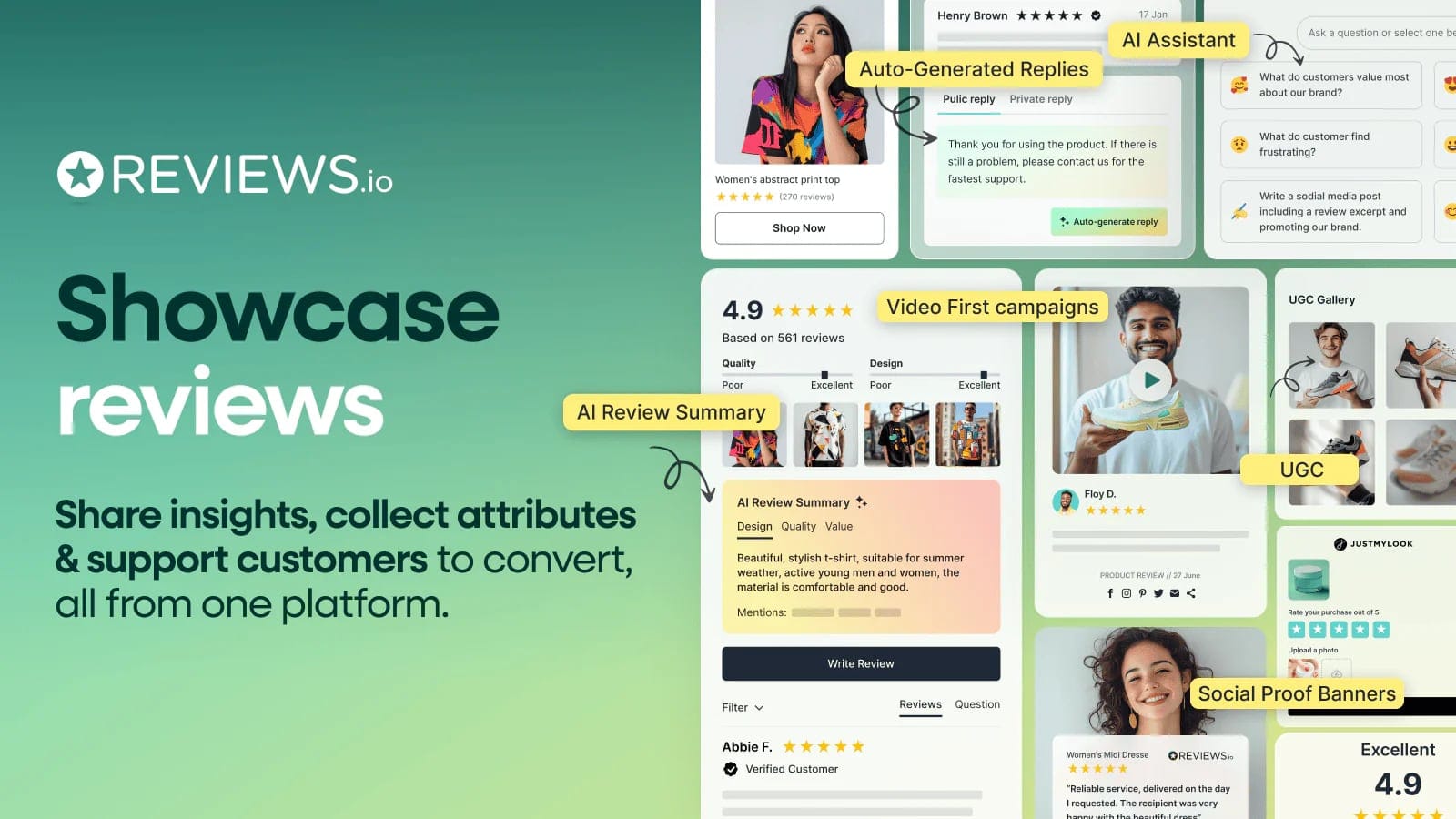
While other platforms handle photo reviews, Reviews.io is built for the modern era of social proof: video. They are an official Google Review Partner and specialize in helping you collect and leverage high-impact video testimonials from your customers.
Why it's great for rich media:
- Effortless Video Collection: Their technology makes it incredibly simple for customers to record and submit video reviews, which are the most authentic and persuasive form of social proof you can get.
- Google Partnership: As a licensed Google partner, they are experts at ensuring your reviews and star ratings show up correctly across Google Search, Shopping, and Ads.
- Social Publishing: Easily publish your best reviews (especially videos) to your social media channels like Instagram, Facebook, and TikTok to maximize their impact.
Personalization Tools
These tools dynamically change what each visitor sees based on their browsing history, purchase history, and what similar customers bought. Right product, right person, right time.
Rebuy
Price: Starts at $99/month, scaling with revenue; custom pricing for Plus.
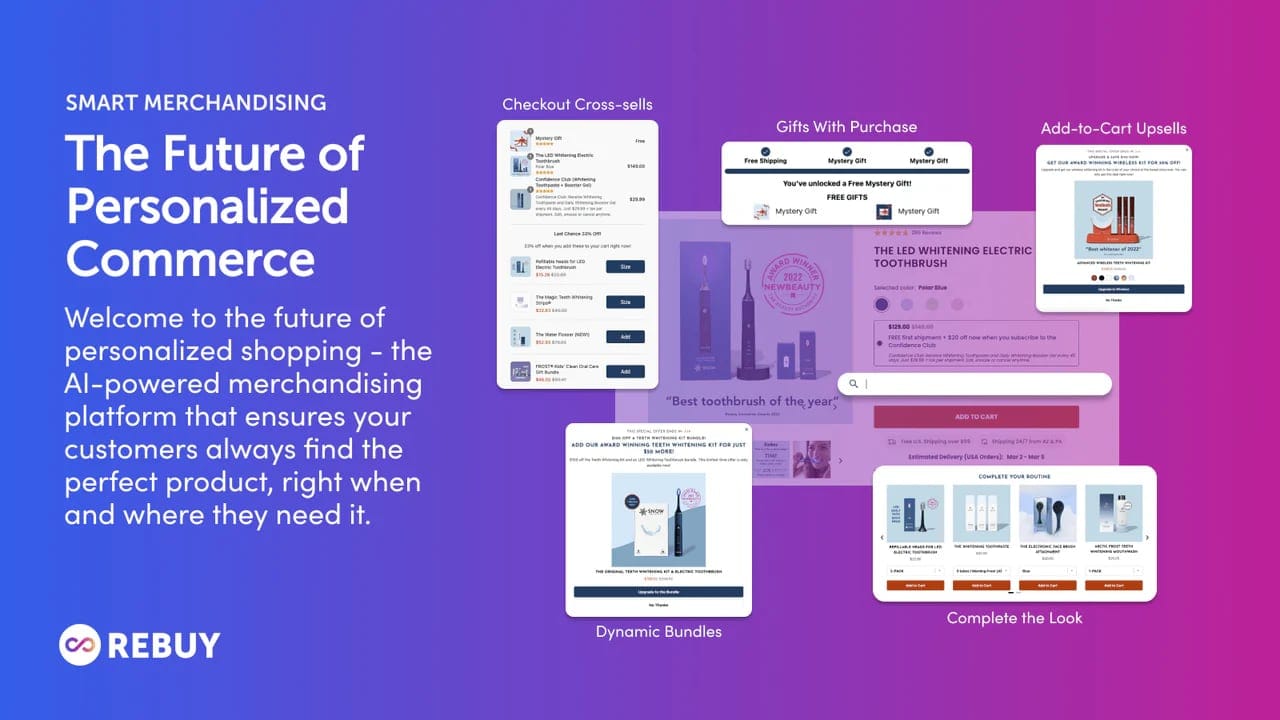
The easiest customer to sell to is the one who is already buying from you. Rebuy is built entirely around this principle. It’s an intelligent upsell, cross-sell, and subscription platform designed to maximize your Average Order Value (AOV) at every possible opportunity, especially in the cart and after the purchase.
Rebuy turns your shopping cart and thank you page into revenue-generating machines:
- AI-Powered In-Cart Offers: Rebuy's AI analyzes the customer's cart in real-time and presents irresistible, one-click cross-sells directly in the cart drawer. It's the digital equivalent of the impulse-buy section at the checkout counter, but supercharged with data.
- Gamified Tiered Rewards: Add dynamic progress bars to your cart like "You're $12 away from free shipping!" or "Add one more item to unlock a free gift!" This "gamifies" the experience and is a proven tactic for getting customers to add more to their cart.
- Post-Purchase Upsells & Subscription Offers: This is where Rebuy shines. Immediately after a customer completes their order, Rebuy can present a one-click offer to add another product to the shipment they just paid for. It can also offer to turn their one-time purchase into a recurring subscription for a 10% discount. It's found money.
Nosto
Price: Revenue-share model (typically 1-2.5% of sales influenced by Nosto).
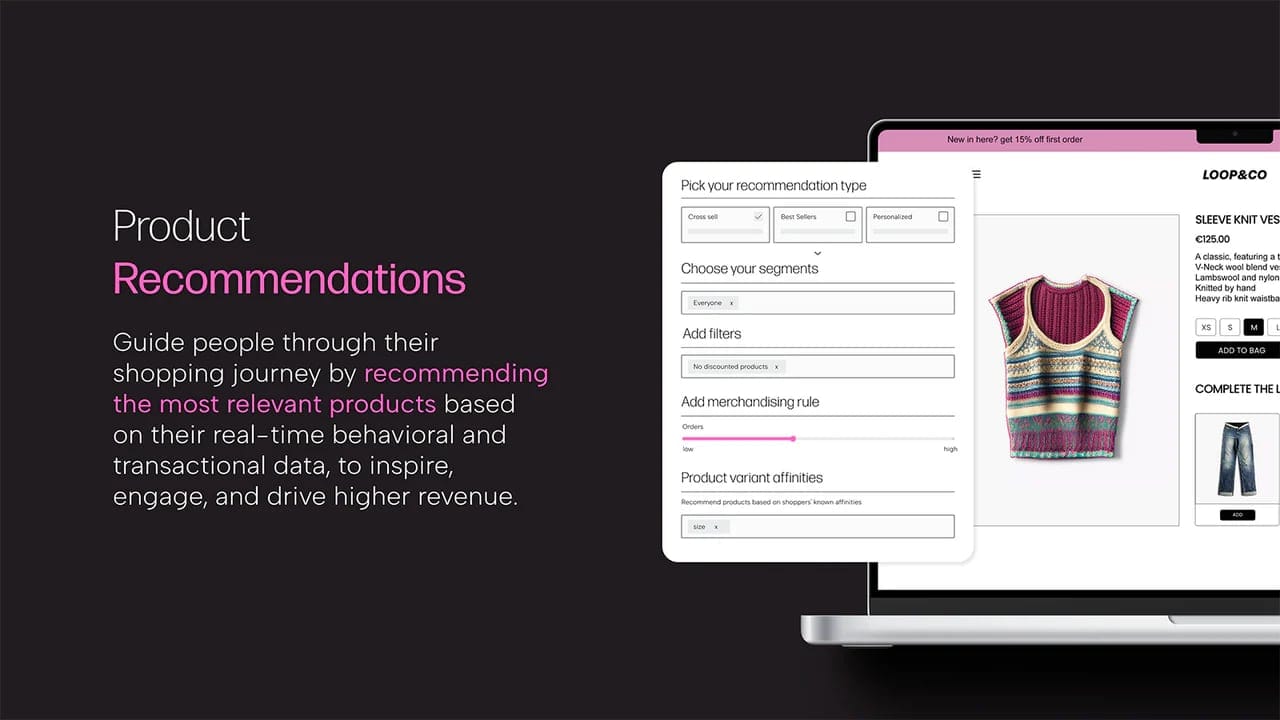
Nosto is an enterprise-level AI platform that aims to automate personalization across your entire store, making it a great fit for brands with large, diverse product catalogs. Instead of you manually setting up rules, Nosto's algorithm learns from every single customer interaction to automatically create the most relevant experience for each unique visitor.
Nosto's AI platform personalizes the complete customer journey:
- Dynamic Product Recommendations: This goes far beyond simple "bestsellers." Nosto shows personalized product recommendations on the homepage, product pages, and in the cart, based on the visitor's real-time behavior, their purchase history, and what similar shoppers have bought.
- Category Merchandising: Automatically re-sorts your collection pages to show the most relevant products first for each individual visitor. Someone who loves dresses will see dresses at the top; someone who loves jeans will see jeans.
- Content & Search Personalization: Dynamically change on-site content like hero banners to match a visitor's interests. Nosto can also power your on-site search to deliver AI-driven results that are tailored to the individual searcher, dramatically improving product discovery.
- Email & Ad Integration: Extend the 1:1 personalization beyond your website by embedding dynamic product recommendations directly into your email campaigns and retargeting ads.
Klevu
Price: Starts around $599/month, scaling up with catalog size and traffic.
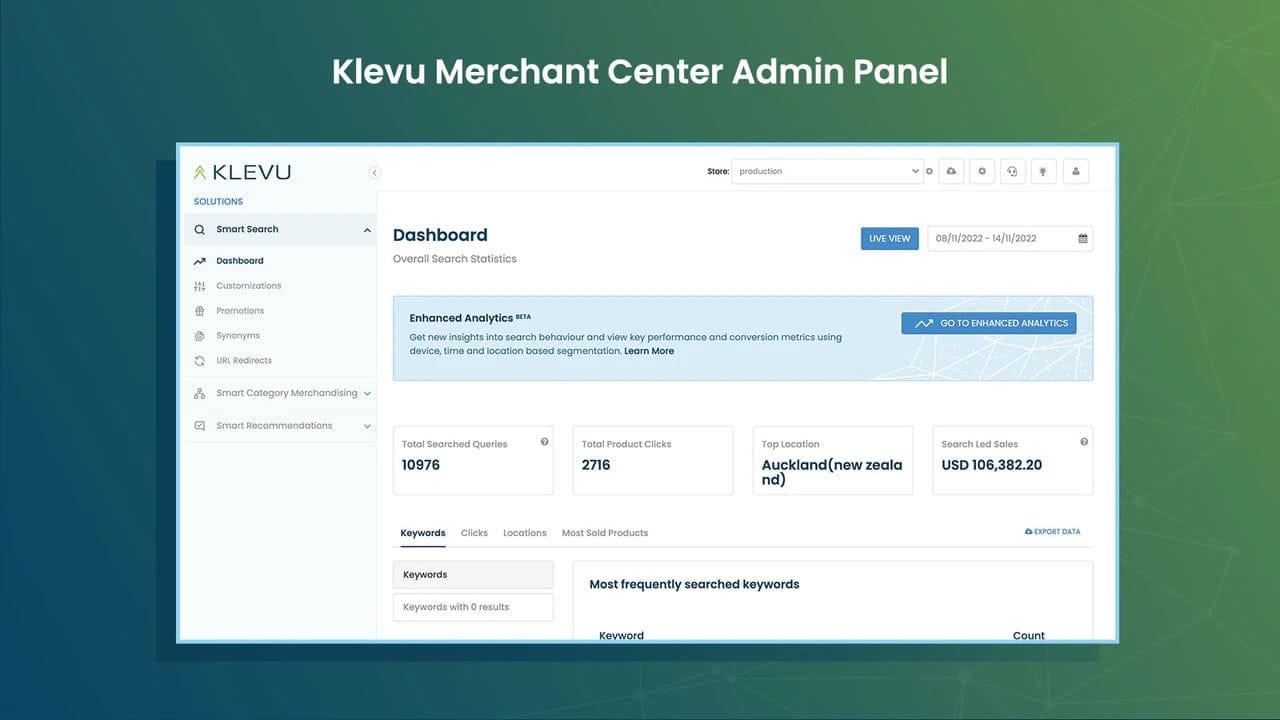
Shopify's default search bar is notoriously basic. For stores with large or complex catalogs, it's a major conversion killer. Klevu replaces that basic search bar with a powerful, AI-driven engine that thinks like your customers, understands their intent, and personalizes the entire product discovery journey.
Think of Klevu as the ultimate personal shopper, living inside your search bar.
- Natural Language Processing (NLP) Search: This is Klevu's core strength. Customers can search in their own words ("long red dress for a wedding") and Klevu's AI understands the context, synonyms, and intent to show them the perfect results, just like a human sales associate would. It dramatically reduces bounces from "no results found."
- AI-Powered Category Merchandising: Klevu uses the data from search behavior to automatically and intelligently re-order your collection pages. If it knows customers are constantly searching for "linen shirts," it will automatically push those products to the top of your "Shirts" collection.
- Personalized Search Results: The search results and recommendations are personalized in real-time for each visitor based on their browsing and search history, ensuring the products they are most likely to buy are always front and center.
- Visual & Voice Search: Klevu allows customers to search with an image ("find me more shirts like this") or by using their voice, creating a modern, frictionless shopping experience that meets the expectations of today's buyers.
Email & SMS Tools - For fighting cart abandonment
70% of people who add items to their cart never complete the purchase. Email and SMS are the most effective channels to bring them back — they've already shown intent, you just need to close the loop.
Shopify Messaging
Price: Free
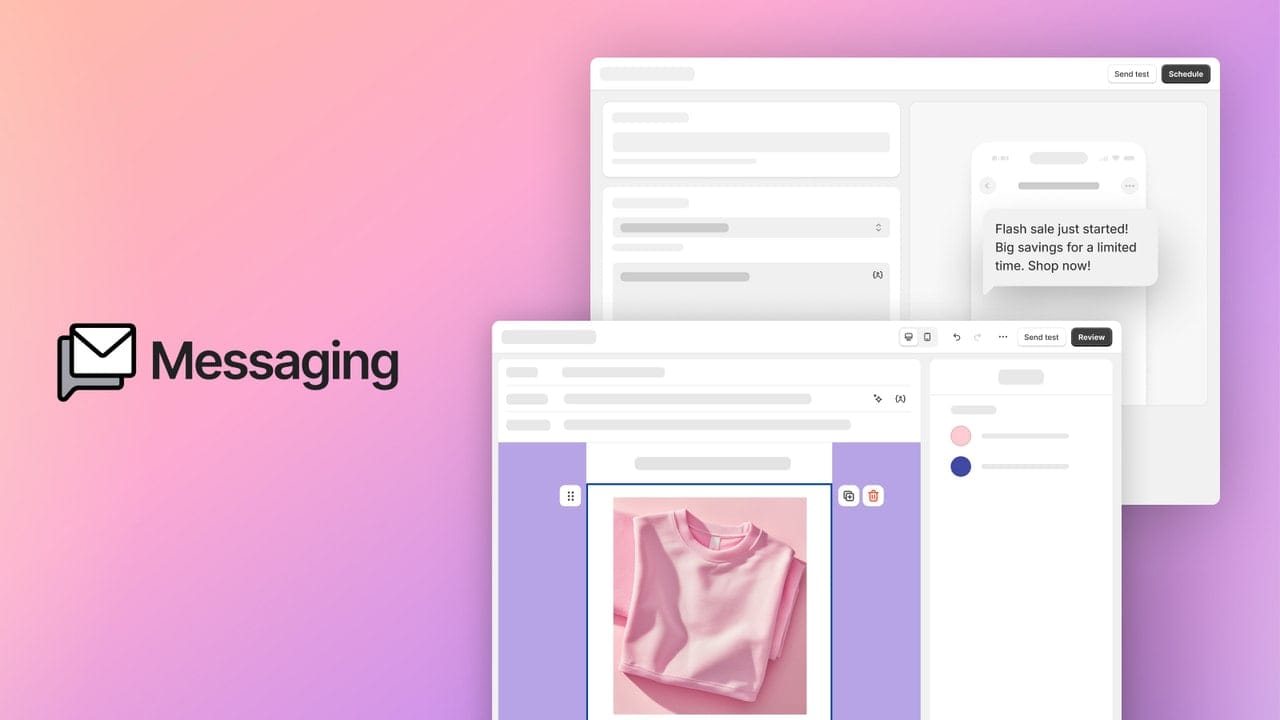
Before you even think about a paid tool, make sure you're using the free money Shopify gives you. This is your most basic, essential safety net for recovering lost sales. It automatically sends a single, timed email to anyone who enters their email at checkout but doesn't complete the purchase.
Let's be clear: it's not sophisticated. You can't create complex multi-email flows or segment customers. But for the 10 minutes it takes to set up, it's the highest ROI action you can take on your store today. Turn it on now.
Get the Shopify's Abandonded Chekouts
Klaviyo
Price: Free plan for up to 250 contacts; paid plans from $20-$2,000+/month based on list size.
There's a reason Klaviyo is the default choice for most serious Shopify brands. Its integration with Shopify is so deep that it essentially becomes an extension of your store's brain, allowing you to build marketing automation that is shockingly personal and effective.
- Smarter Abandoned Cart Flows: This is where you graduate from Shopify's single email. With Klaviyo, you can build a multi-email sequence. For example:
- Email 1 (1 hour later): "Did you forget something?"
- Email 2 (24 hours later): "Here are 5 reasons to love our product."
- Email 3 (48 hours later): "Here's a 10% discount to complete your order."
- Hyper-Specific Segmentation: This is Klaviyo's superpower. It sees every single thing a customer does on your store. You can effortlessly create segments like: "VIPs who have spent over $500," "Customers who have bought jeans but not shirts," or "People who only buy when there's a discount." This allows you to send incredibly relevant messages that actually convert, instead of blasting your whole list with the same generic offer.
Omnisend
Price: Free plan available; paid plans start at $16/month.
While Klaviyo is laser-focused on being the best at email and SMS, Omnisend's strength is its ability to seamlessly weave multiple channels together into a single, coordinated customer journey.
What does that actually mean? It means you can build a single automation flow that uses multiple touchpoints:
- A customer abandons their cart.
- One hour later, they get an email.
- If they don't open it, 10 minutes later they get an SMS with a direct link.
- If they still don't buy but visit your site again, they get a web push notification with a reminder.
It's about meeting your customers on the channel they prefer, all managed from one place. For stores that want to go beyond just email and SMS without juggling multiple apps, Omnisend is a powerful and often more affordable alternative to Klaviyo.
Urgency & Scarcity Tools
Your biggest competitor isn't another brand — it's "I'll buy it later." Countdown timers, low stock warnings, and real-time sales notifications create the nudge that turns browsers into buyers.
Fomo
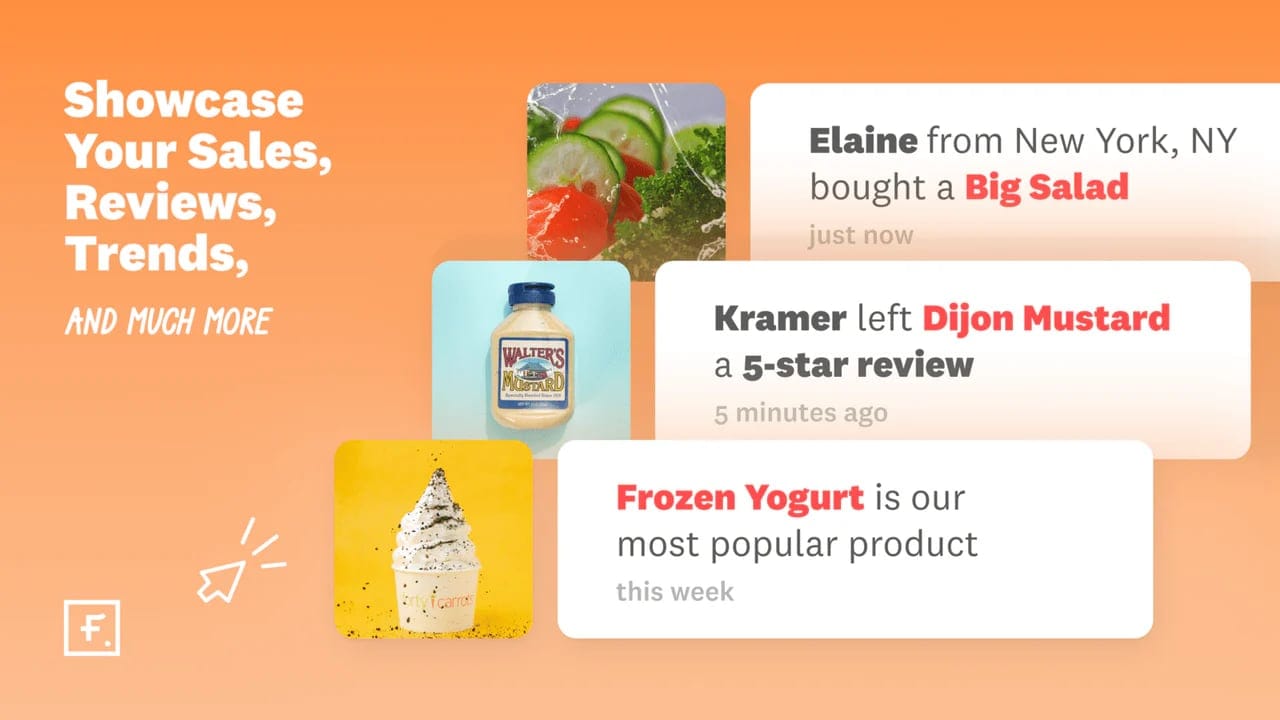
Price: Starts at $25/month; scales with notifications.
Fomo is the tool that started the "Someone in New York just bought..." trend. Its entire purpose is to replicate the feeling of a busy, bustling retail store online, creating a powerful sense of activity and validation.
- Real-Time Activity Feed: It shows live, non-intrusive notifications of recent purchases, reviews, or sign-ups, which tells new visitors that people are actively buying from you right now.
- Deep Integrations: Fomo goes beyond just Shopify sales. It can pull in and display data from your review app (like Judge.me), your email list (like Klaviyo), and even social media, creating a rich, believable stream of activity.
- Highly Customizable: You have full control over the look, feel, and timing of the notifications to ensure they match your brand and don't feel spammy.
Essential Countdown Timer Bar
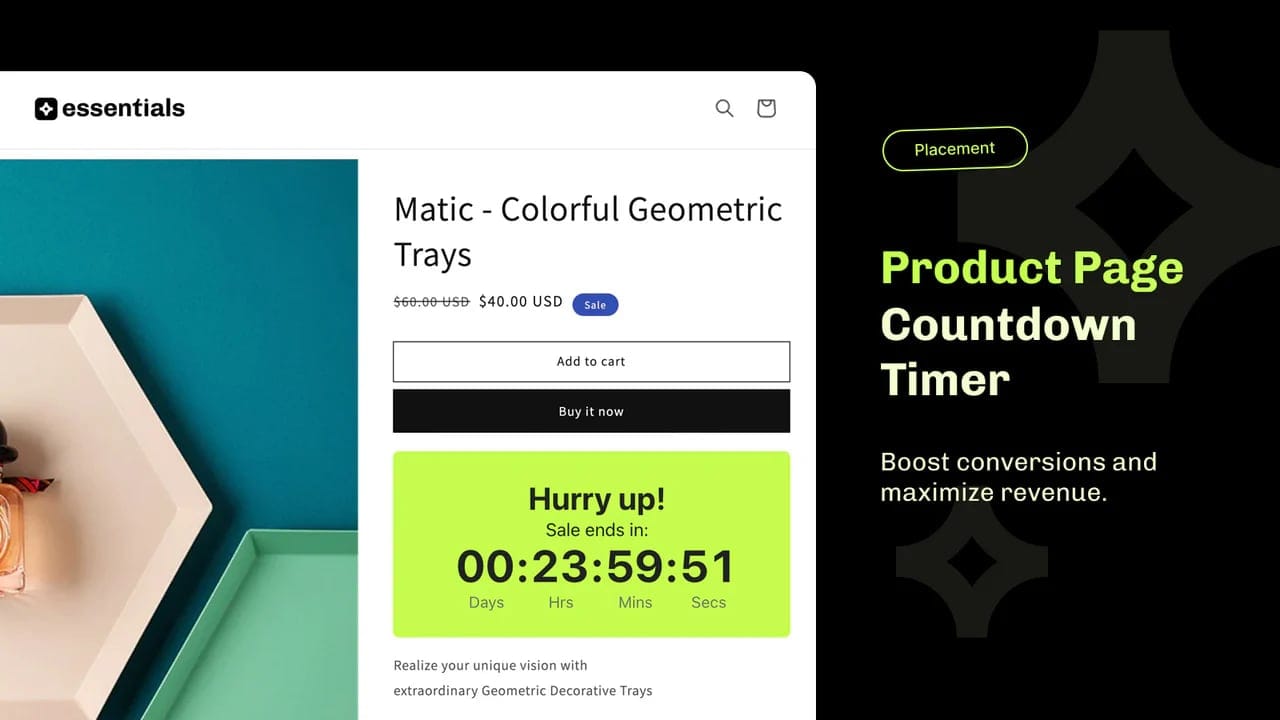
Price: Free-29.99$/month.
Sometimes the most effective urgency tactic is a simple, unmissable banner at the top of your store. This app is designed to do just that, and do it well. It's a lightweight, easy-to-use tool for adding sitewide countdown timers that create a sense of store-wide urgency.
It's perfect for driving action on time-sensitive offers:
- Promote Flash Sales: Create a sticky announcement bar with a ticking clock to maximize participation in your flash sales or seasonal promotions (e.g., "Black Friday Sale Ends In...").
- Announce Shipping Deadlines: Boost holiday sales by setting a clear cut-off. A timer bar that says "Order in the next 3 hours for Christmas delivery" is a massive conversion driver for last-minute shoppers.
- "Evergreen" Urgency: Create recurring or visitor-specific timers that start counting down the moment someone lands on your site, giving each visitor their own personalized window of opportunity.
- Easy Customization: Quickly change the colors, fonts, and messaging to match your brand's look and feel without needing to touch any code.
Now It's Your Turn
Pick your first tool, fix your biggest leak, and let the data guide what's next. Every winning test adds directly to your bottom line.
Or Let an Expert Do It For You
We use these tools every day to drive sustainable growth for Shopify brands. If you'd rather hand off the testing and optimization, explore our conversion rate optimization services.


