Running Parallel A/B Tests on Shopify with Intelligems

A while back we started offering performance-based pricing for some new clients. It was received really well, because after all who wants to pay for effort when you can pay for results?
As a side effect, it also put our team under immediate pressure. We always aimed to move quickly, but now velocity and experiment success rate were tied to our financials.
Since then, I've been pushing to get ten concurrent experiments running per month, per client. Running 100+ experiments per year is something to brag about, but more imporantly, it gives us a better chance to make money for our clients (and ourselves).
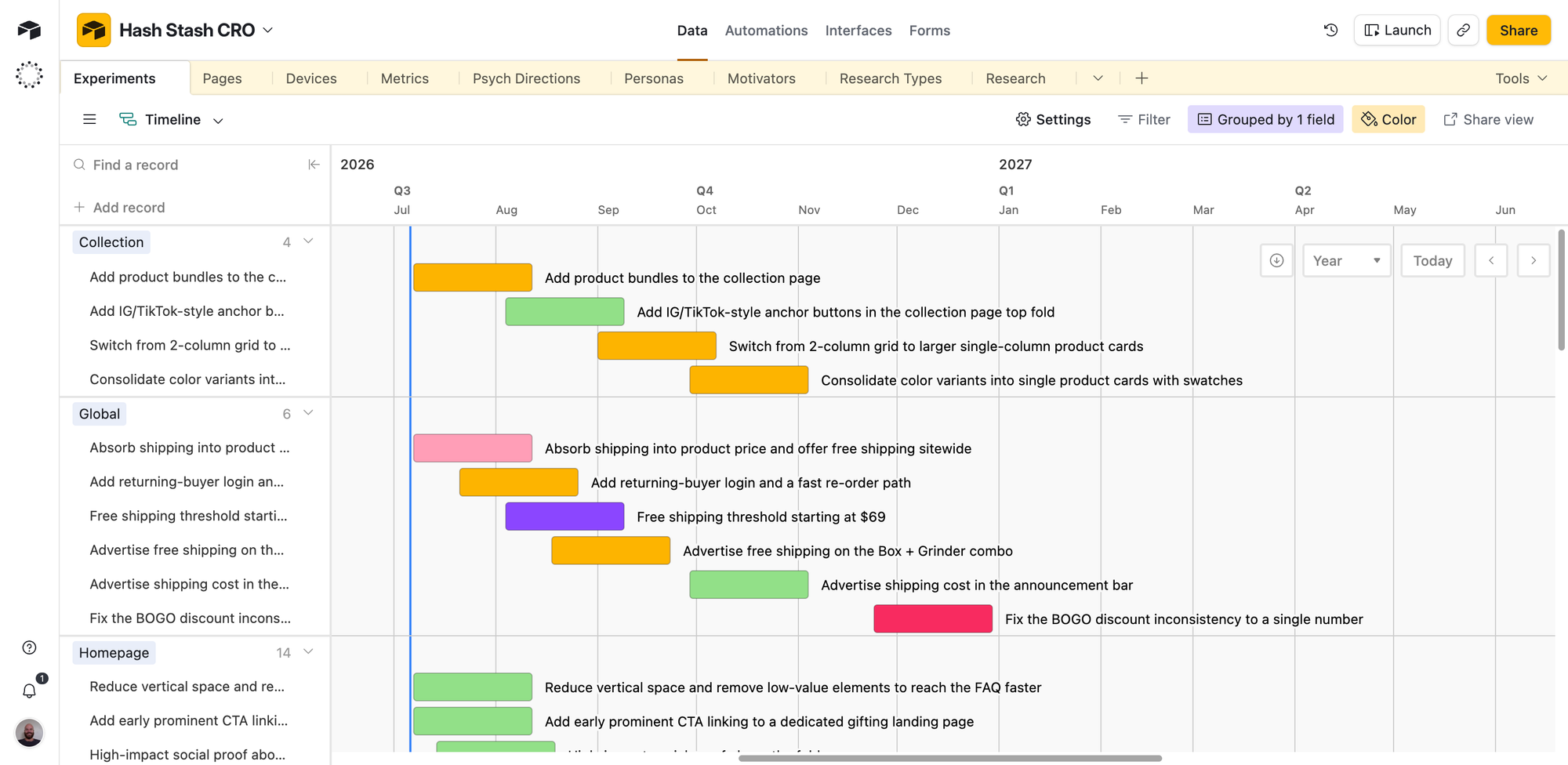
The first problem ran into was how to run that many experiments without diluting traffic, reducing the power of our experiments, increasing the minimum detectable effect, and slowing everything down.
At the time, we were heavily committed to Shoplift (which you can see in the screenshot below).
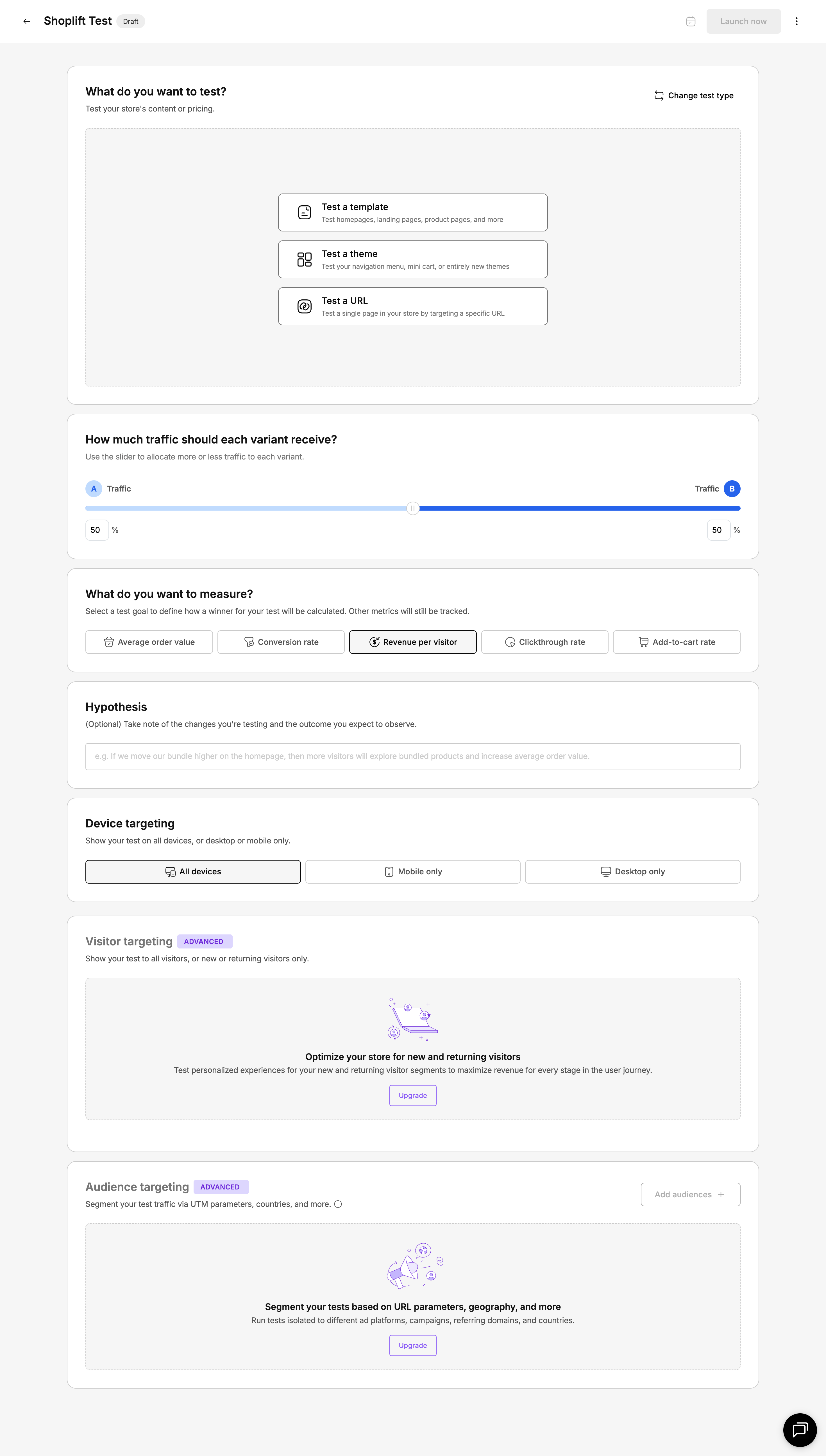
We'd spent extensive time using all the A/B testing platforms on the market (Intelligems, Convert, VWO, Optimizely, and a handful of smaller options), but had the closest relationship with the Shoplift guys. We still do, truth be told, but as one of the less mature solutions on the market, their participate isolation model became a natural ceiling to our velocity.
Realistically, we could only run one experiment at one time on each major pages; homepage, collection, PDP, landing page, and cart.
We could have run more, but the way the participation models works means the total traffic seeing the unique variant reduces from 1/2 to 1/3 to 1/4 for each subsequent test we add to a single page.
So I started looking for solutions. I already knew that running multiple tests on a page was possible and wouldn't contaminate the results of each as long the the features being changed weren't interacting on the page (i.e. nested or touching).
I'll touch on this point a bit later, because it's a common misconception.
Anyhow, I finally dug a bit deeper into Intelligems model. They preach a "randomized participation model" which is exactly what I was looking for. According to their FAQ, there's "no limit to the number of parallel tests you can have running."
Then my co-founder asked me something I didn't have an answer to.
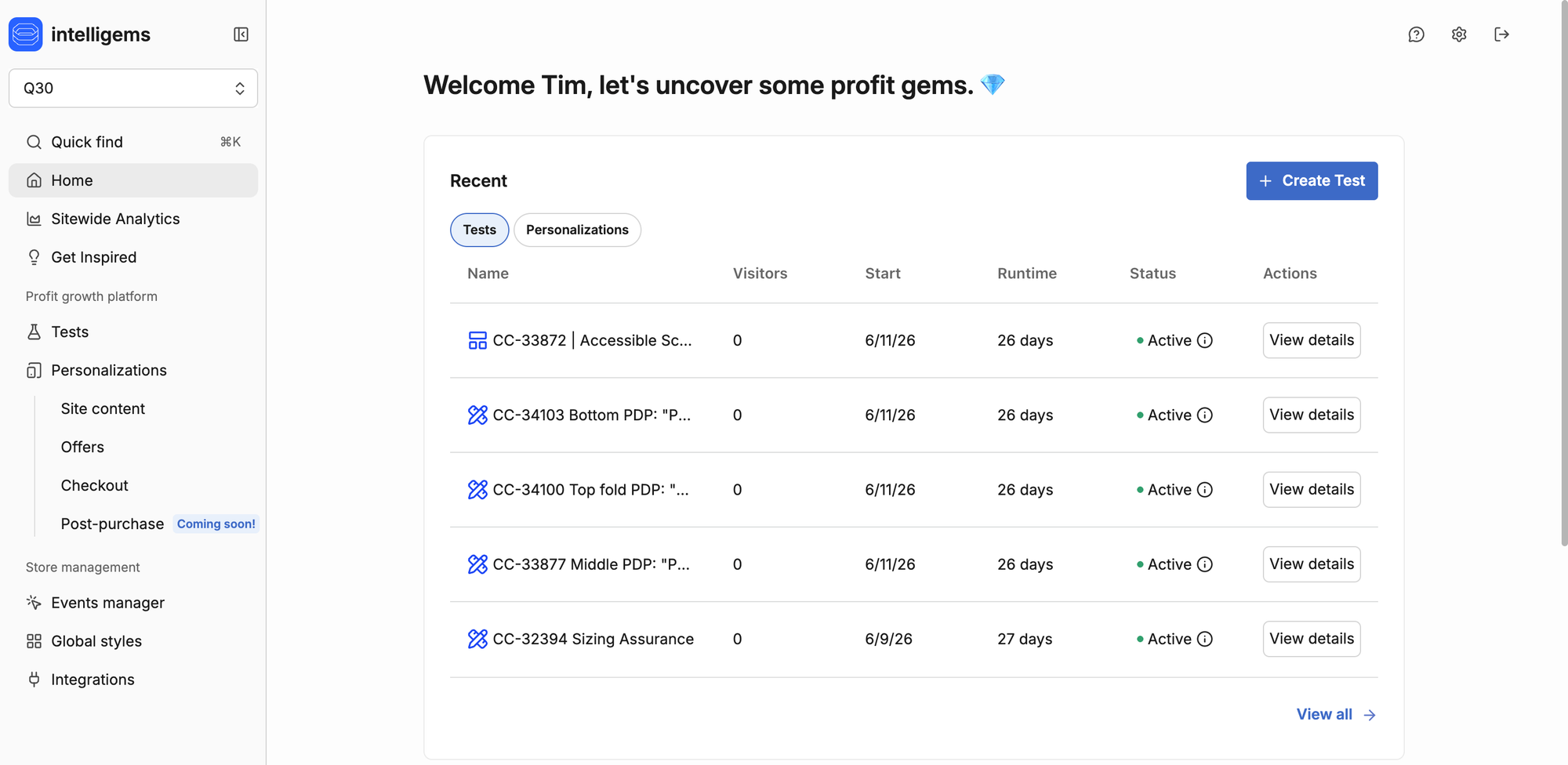
To a cut a bit of the length out of this story, we moved a handful of our clients to Intelligems and got working using our regular process.
Our typical workflow is to create a new Shopify template, sync it with a Github branch, and implement the changes. There's a few benefits of this approach like being able to use Github actions to keep content changes in sync.
So we ran a few parallel template tests on the PDP for an apparel client. The results were a bit wonky and even after a full retrospective, I couldn't figure out what was going on.
Which is about the point that my co-founder asked me a question I should have thought about earlier:
"If every test creates a new Shopify template, and Shopify can only render one template per page... how do two tests run on the same page at the same time?"
I sat there for a minute. Then I went and dug through everything I could find.
As much as I love Intelligems as a platform, their support weren't much help here. It's quite a technical question and there were some mixed responses (none of which were accurate).
Eventually I pieced together that their "in-line" tests (which is my name for their On Site CSS/JS tests that don't require a template change) could be run in parallel but template and theme tests could not.
Here are some other rules I figured out along the way:
- One template and multiple in-line tests can be run in parallel.
- Theme tests conflict with template tests, so you can only run one theme test or multiple template tests at any one time
- Pricing tests and Shipping tests can be run at the same time as template tests without diluting traffic
I was a little disappointed about this situation at first, but since then we've found in-line tests to be quite flexible and our velocity has reached target levels.
Why velocity matters (and why I moved us to Intelligems)
I want us to be one of the best CRO agencies in the world.
I know that's a big thing to say out loud. But it genuinely drives every decision I make, including which testing tools we use.
And since we're staking payment model on getting the job done, velocity is super important to how we work.
Our successful experiment rate floats between 20% and 40% per client. If we're only running 4 experiments per month, that puts us at a cap of ~14 successful experiments per year, or just over 2 per month.
Of those experiments, every third or fourth will result in a 10%+ rise in revenue per visitor. For the sake of calculations, let's say we hit this target every fourth successful experiment. So each year, we're moving revenue per visitor up by 40%.
This would take a store's RPV from $3.56 to $4.98.
This is nothing to sniff at, but with a velocity of 10 experiments per month it takes RPV from $3.56 to $6.76.
Don't A/B tests contaminate each other?
This is a common misconception.
At face level it makes sense. If you're testing one thing, you should limit the number of variables. Exposing a participant to another experiment is like another variable and will skew the results of both experiments, right?
Well, yes! But the effect is so low it's virtually not measurable. Microsoft wrote a paper in 2023 called A/B Interactions: A Call To Relax, where they ran hundreds of A/B tests on millions of users and found that the interference rate between experiments was less than 0.002%.
There are of course some situations where parallel tests can interfere with each other. The table below illustrates this:

I've underlined the red wording on the Ad background color: red example to show that changing nested properties can interfere with other experiments.
In the context of eCommerce, it's pretty easy to think through the natural isolation of experiments and avoid this situation.
Why Intelligems?
We were on Shoplift before. I like Shoplift. But it doesn't have randomised participation and you can't really run experiments in parallel. It's kind of boxed itself in as a beginner A/B testing tool.
The other options like AB Tasty or Statsig aren't native Shopify platforms. They sit on top of Shopify rather than inside it, so you run into limitations pretty quickly when you're trying to do anything involving the backend (like price testing or checkout changes).
Intelligems felt like the obvious choice. Native Shopify, randomised visitor assignment, Shopify Functions for pricing. All good.
What's the actual problem with parallel tests on Shopify?
So this is what's happening under the hood.
When Shopify serves a product page, it picks one template to render. That decision happens server-side before anything loads in the browser. There's no way to render two templates at once or blend content from multiple templates. It's one template per page, every time.
When you set up a template test in Intelligems, you create an alternate template in your Shopify theme. Something like product.variant-b.liquid. Intelligems' JavaScript figures out which test group the visitor belongs to and redirects them to the alternate template using Shopify's ?view= parameter.
The problem becomes pretty obvious once you think about it.
If Test A needs product.variant-a and Test B needs product.variant-b, both targeting the same PDP, Shopify can only serve one of them.
Intelligems' docs actually confirm this. If two template tests target the same page type, the system resolves the conflict "at random, potentially leading to unpredictable experiences."
And this isn't an Intelligems thing specifically. Every Shopify A/B testing tool that does theme-level testing (Shoplift, Convert on Plus, Shopify's own Rollouts) relies on the same mechanism. One preview_theme_id per request. One template per page.
How Intelligems implements tests
So I went and researched how the whole thing works under the hood. And it turns out template tests are just one of like six or seven test types Intelligems offers. Most of them don't use templates at all.
Onsite Edits are the big one. These use client-side JavaScript to manipulate specific DOM elements after the page has already loaded. You point at an element (a headline, a CTA button, a hero image, a trust badge), define what each test group should see, and the Intelligems script applies the change in the browser. No template swap. No redirect.
CSS and JavaScript Injection is similar but lower-level. You write custom CSS or JS per test group and Intelligems injects it as <style> or <script> elements. Same idea, more control.
Price tests work on a completely different layer. They use Shopify Functions that read cart attributes set by the Intelligems script. This happens at the cart and checkout level, not the page template level at all.
The JavaScript API gives you full programmatic control through window.igData. You can check which test group a visitor belongs to and write your own logic. Totally template-independent.
Then there are template tests and theme tests (the constrained ones), plus split URL tests and stuff like that.
The thing I didn't realise is that for most CRO content testing, you should probably be using onsite edits. They're parallel-safe because each one targets different CSS selectors on the page. Test A changes the headline. Test B changes the CTA colour. Test C swaps the hero image. Test D repositions the trust badges. All on the same PDP, all at the same time, no conflict.
I messaged Intelligems support to confirm and their team told me: "Running a template test alongside onsite edits on the same page is totally fine. Template tests happen server-side, while onsite edits run client-side after the page loads, so they won't interfere with each other."
So that was good to hear.
How to stack tests on the same page
The practical setup for running parallel tests on a single PDP looks something like this.
One template test for major structural changes. A completely different page layout, sections reordered, big structural stuff. You can only have one of these per page type at a time.
Multiple onsite edits targeting different elements within whatever template rendered. Headline copy, button colour, social proof positioning, trust badge placement. These can all run simultaneously as long as they're hitting different selectors.
Price tests operating at the Shopify Functions level. Totally independent of anything happening on the page template. Only hard limit is one shipping test at a time.
Cross-page isolation. Tests targeting different page types (PDP vs collection page vs homepage vs landing pages) can always run in parallel regardless of test type. A template test on your product pages and a template test on your collection pages will never conflict because they're completely different page types.
The ceiling for how many onsite edits you can stack on one page isn't documented anywhere that I could find. In theory it's unlimited as long as they target different elements. In practice there's going to be some cumulative JavaScript execution cost. Intelligems has anti-flicker modes (element-specific or full-page hiding) but more concurrent DOM manipulations means more work for the browser.
I think for most stores you could comfortably run a template test plus two or three onsite edits plus a price test without issues. Beyond that I'd keep an eye on page speed, especially on mobile.
Why I'm not using mutual exclusion
The first thing Intelligems support suggested was their Mutually Exclusive Experiments feature. It's in beta, they'll turn it on for your store if you ask.
It puts tests into an "exclusion group." When a new visitor arrives, they get randomly assigned to exactly one test in the group. They never see any of the others.
I get why they suggest it. But it's the opposite of what I want.
I specifically want visitors exposed to multiple tests at the same time. Every test you add to a mutual exclusion group dilutes the traffic each test receives. Two exclusive tests means each one gets half the traffic and takes twice as long to reach significance. When you're trying to increase conversion rate through high-velocity testing, that kills you.
And there's a thing people don't think about enough: interaction effects. Just because Test A wins and Test B wins independently doesn't mean A and B together produce a better experience. In reality we're going to ship both winners at the same time. I'd rather test the combination upfront.
There's also a gotcha with exclusion groups that I think is worth knowing about. Assignment happens before any targeting conditions are checked. So a visitor might get assigned to Test A but never visit the page where Test A runs. That visitor is now blocked from all other tests in the group. Traffic just gets wasted.
From what I can tell, mutual exclusion makes sense when two tests genuinely need to modify the same element. If Test A changes the headline and Test B also changes the headline, you obviously can't show both. Make them exclusive. But if the tests target different elements, let them overlap.
What I still haven't figured out
I spent a fair bit of time on this and there are a few things I couldn't find clear answers on.
Nobody's documented how many concurrent onsite edits you can stack on a single page before performance actually degrades. The theoretical limit is "as many as target different elements" but the real-world ceiling probably depends on your theme, how heavy the DOM manipulations are and what devices your customers use.
Shopify's Section Rendering API lets you fetch server-rendered sections via AJAX. A testing tool could use this for near-flicker-free section-level swaps instead of pure DOM manipulation. I don't know if Intelligems uses this or plans to. Would be a solid improvement if they did.
And the interplay between Online Store 2.0 JSON templates and onsite edits isn't well documented. Sections and blocks give you finer granularity for A/B testing, but I haven't found anything specific about how Intelligems' editor handles testing at that level.
If you're evaluating Intelligems for a high-velocity testing program, I'd ask their support team about these edge cases. From what I've seen they're responsive and genuinely helpful.
Common questions about parallel A/B testing on Shopify
Can you run unlimited parallel tests on Intelligems?
Technically yes, but it depends on the test type. Onsite edits and price tests can run in parallel on the same page because they use different mechanisms (DOM manipulation and Shopify Functions). Template and theme tests are limited to one per page type because Shopify can only render one template per request. The "unlimited" claim holds up if your tests target different pages or use non-template mechanisms.
What happens if two template tests target the same page?
Intelligems resolves the conflict at random. The visitor gets whichever template the system picks, no predictability. You should avoid this by using onsite edits for one of the tests, combining them into a multivariate test, or just running them sequentially.
Is Intelligems better than Shoplift for parallel testing?
For running tests in parallel, yes. Shoplift operates at the theme and template level, which means theme tests are mutually exclusive with all other tests and same-template tests are automatically excluded. Intelligems' onsite edits (client-side DOM manipulation) can run alongside template and price tests on the same page. More options for concurrency if velocity is what you're after.
Does running parallel tests slow down your store?
Depends on the test type. Template tests and price tests have minimal impact because they're server-side or cart-level. Onsite edits add client-side JavaScript and Intelligems includes anti-flicker that briefly hides content while changes load. A few targeted onsite edits should be fine. Stacking a lot on a single page might affect speed on slower devices.
Should you use mutual exclusion?
Only when two tests need to modify the same element on the same page. If you want to test how multiple changes interact (which is closer to how you'll actually ship the winners), skip it and let tests overlap. Keep in mind that exclusion group assignment happens before targeting, so visitors can get assigned to a test they never qualify for and waste traffic.
Sources
- Intelligems General FAQs — Parallel test policy, shipping test limits
- How to Set Up an Onsite Edits Test — DOM manipulation test setup
- How to Set Up a Template Test — Alternate template mechanism
- Mutually Exclusive Experiments — Exclusion groups
- Personalizations FAQs — Template conflict resolution
- Shopify Theme Architecture — One-template-per-page rendering
- Shoplift: Running Multiple Tests — Mutual exclusion comparison


